Inject tests
Inject tests let you dry-run direct-contact Injects (email, SMS) before launching a real Simulation. OpenAEV sends the Inject to the current user so you can verify content, formatting, and delivery without impacting participants.
Why test first?
- Catch errors early: spot typos, broken links, or wrong variables before the Simulation starts.
- Validate delivery: confirm that emails and SMS actually arrive.
- Iterate quickly: replay tests until the content is right.
Warning
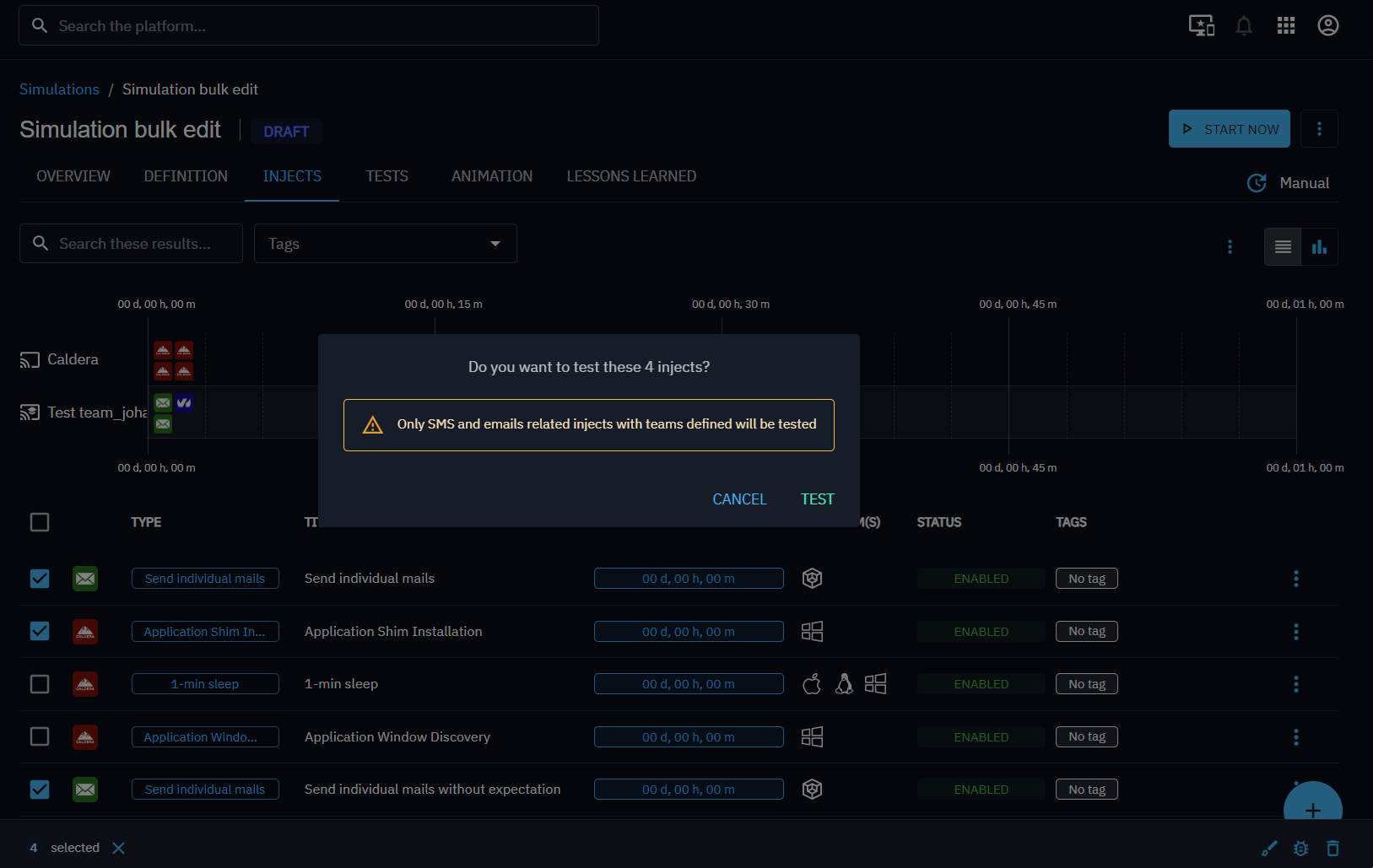
Only email and SMS Injects support testing. The test option is disabled if the Inject has no assigned Teams.
Note
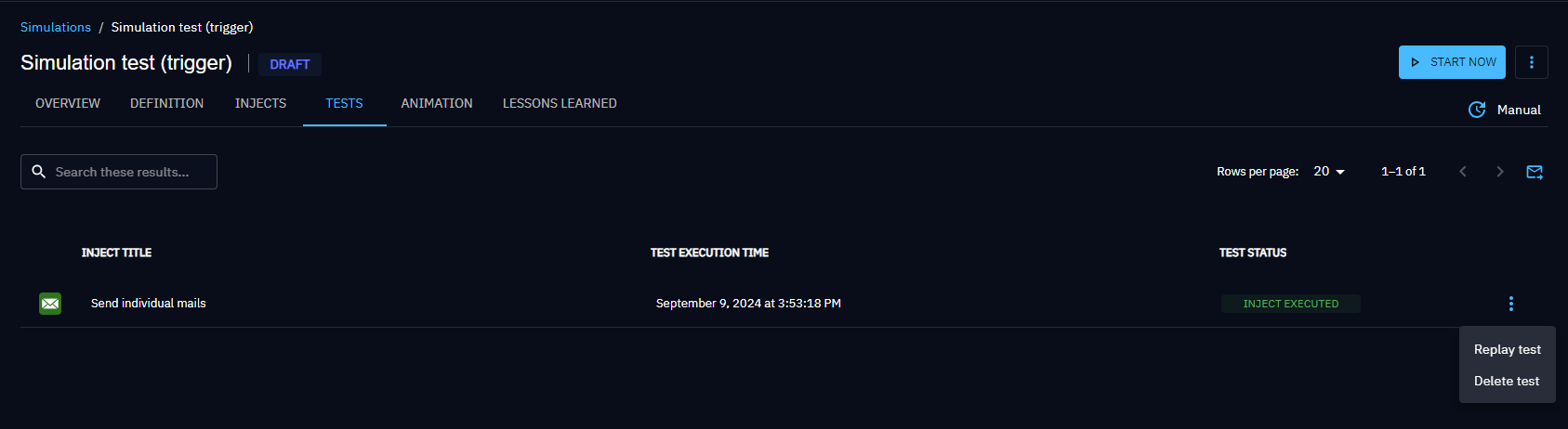
Only the latest test result is displayed for each Inject.
Single test
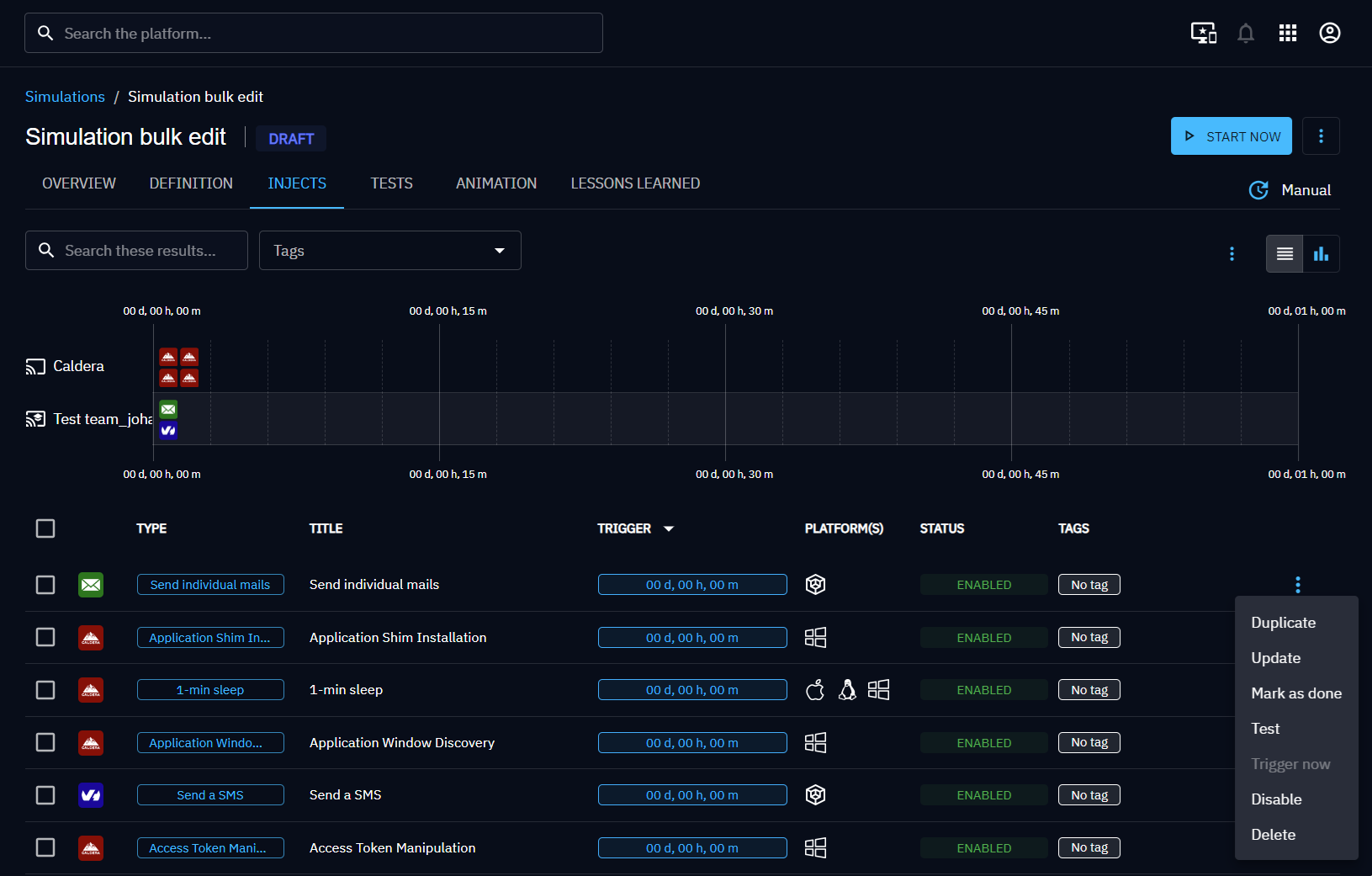
- In the Injects list of your Simulation or Scenario, open the contextual menu of an email or SMS Inject.
- Click Test and confirm.
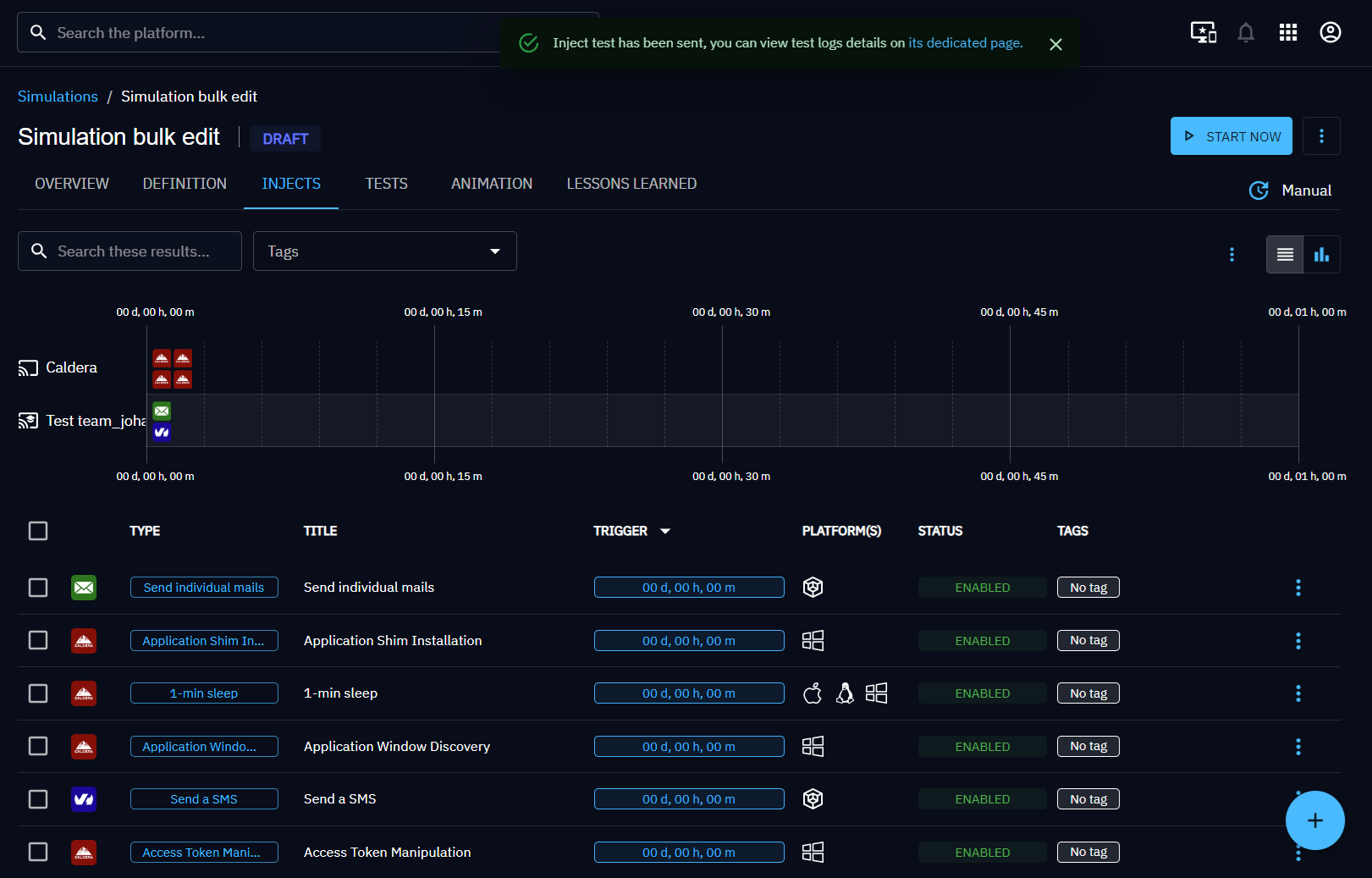
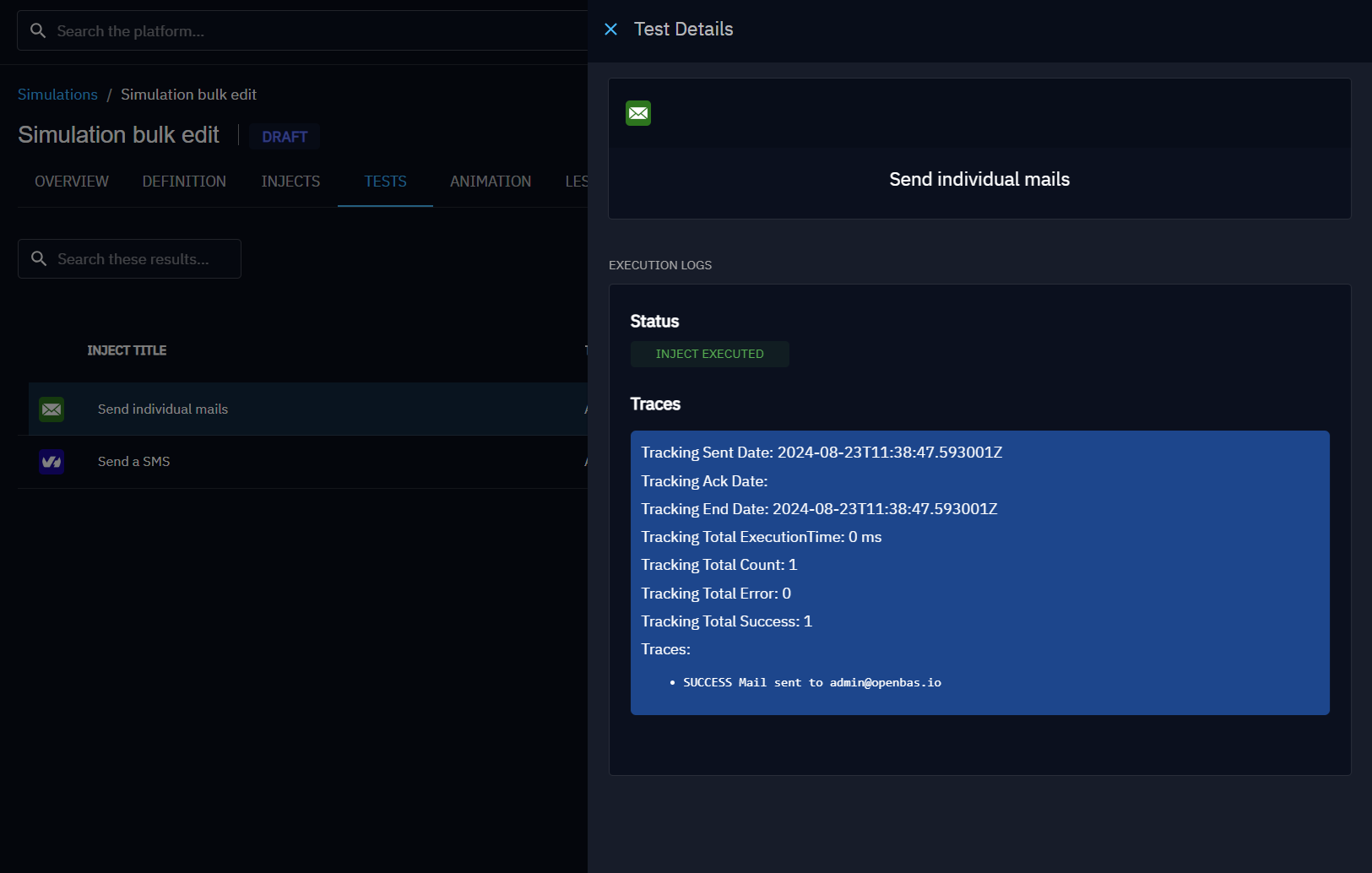
- An alert appears at the top of the page. Click the dedicated page link to view execution details.
Bulk test
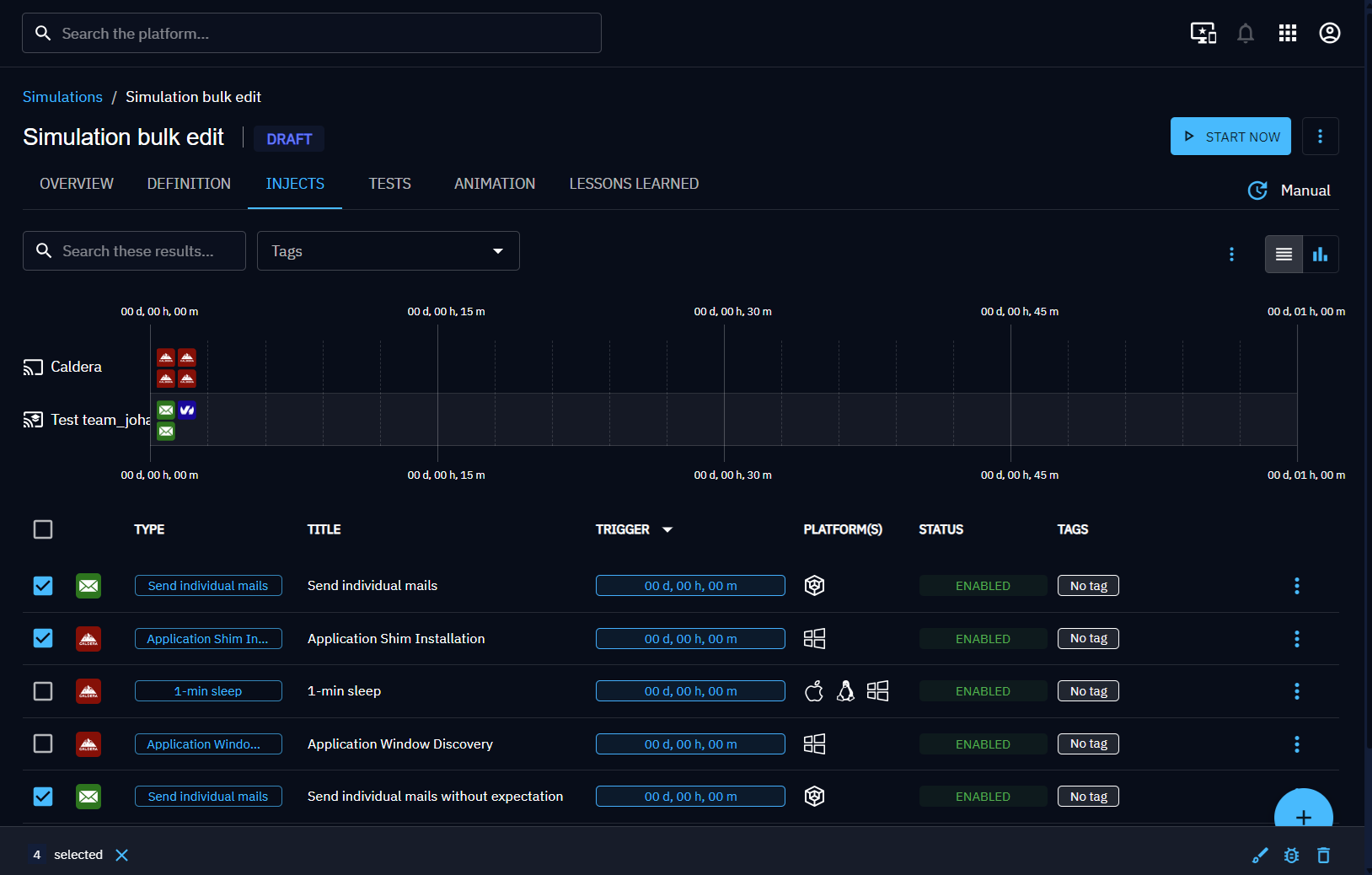
- Select the Injects you want to test.
- Click the bug icon in the toolbar and confirm.
- OpenAEV sends all eligible email/SMS Injects to the current user and redirects you to the tests list.
Replay
Each test in the list has a contextual menu to replay or delete it. You can also replay all tests at once using the replay icon at the top of the list.
In practice
You are preparing a phishing awareness Simulation with a custom email template:
- Create the email Inject with your template and variables.
- Run a single test. You receive the email in your own inbox.
- Notice a broken
{{ redirectUrl }}variable, fix it in the Inject. - Replay the test. The email now renders correctly.
- Launch the Simulation with confidence.
Go further
- Set up Expectations to define what a successful test looks like.
- Explore Notifications to understand how OpenAEV alerts participants.
- Understand Inject statuses to interpret execution results.
=