Inject chaining and transfer
This page covers two features that help you organize Injects beyond simple one-shot execution: conditional chaining to model multi-stage attacks, and export/import to reuse Injects across Scenarios and instances.
Note
For a full graph of Actions and Events with shared outputs and platform-enforced execution boundaries (scope, timeout, rate limit), see Attack Chaining, an Enterprise Edition feature.
Conditional execution
Conditional execution (also called logical chaining) lets you link Injects together so that a child Inject only runs if specific conditions on its parent are met at execution time. Conditions can be based on Expectation results (prevention, detection) or execution success/failure.
Why chain Injects?
- Model real attack chains: execute lateral movement only if initial access succeeded.
- Reduce noise: skip follow-up Injects when a prerequisite was blocked.
- Test decision trees: simulate branching attacker behavior depending on defensive outcomes.
Option 1: from the Inject update form
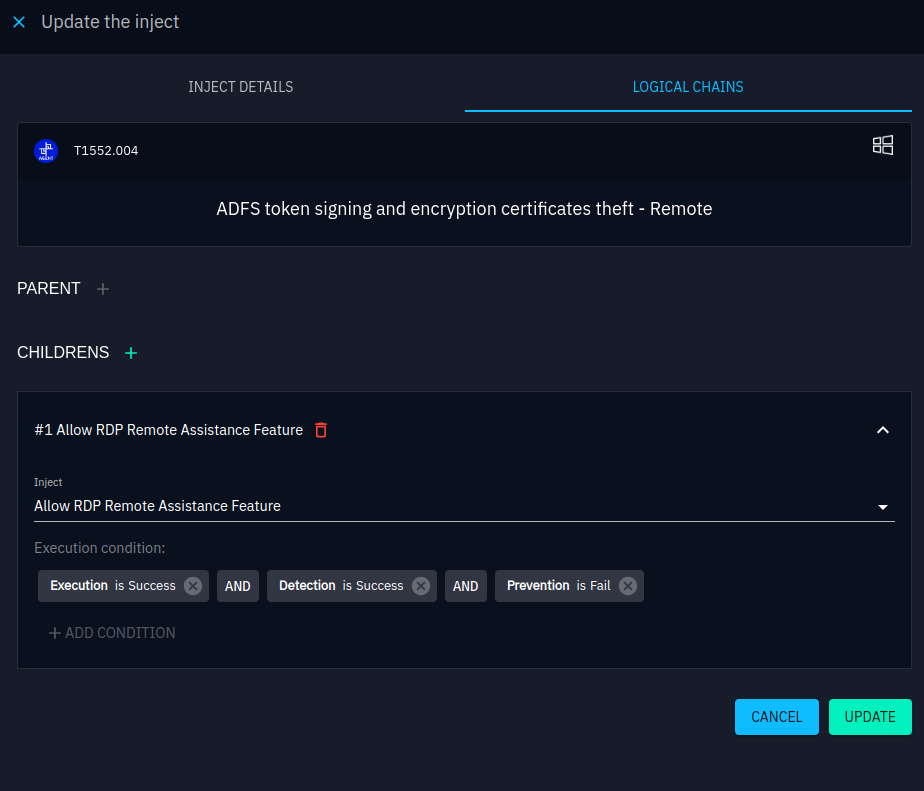
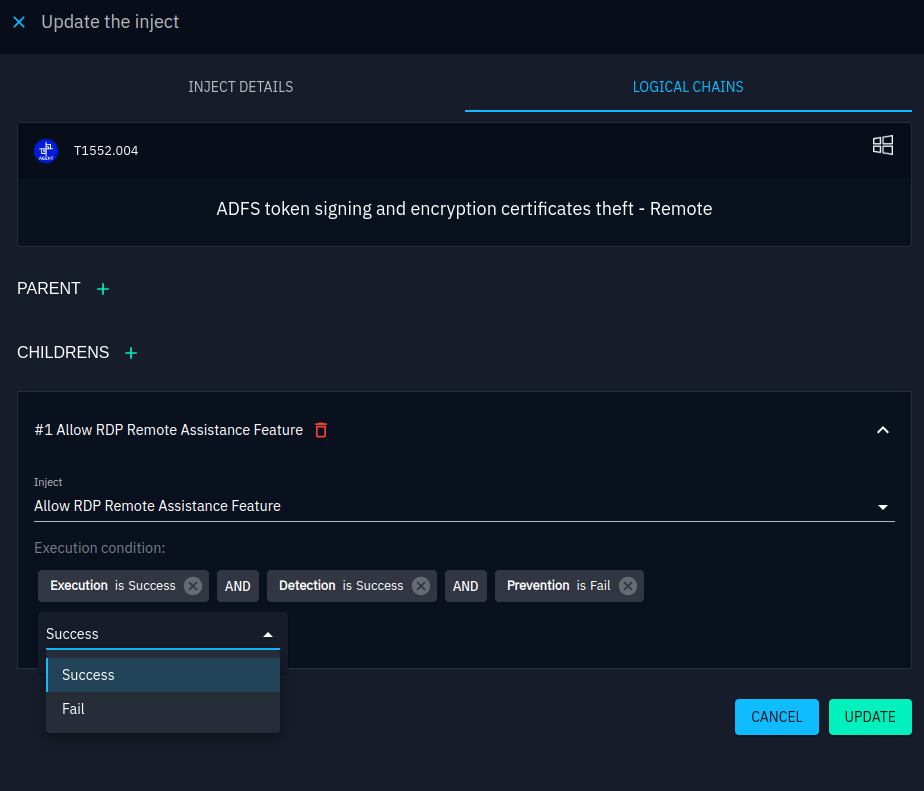
- Open an Inject and go to the Logical Chains tab.
- Assign a Parent. The current Inject will only execute if the Parent's conditions are met.
- Assign Children. They will execute only if the current Inject's conditions are satisfied.
- Select the conditions: choose the relevant Expectation and toggle Success or Fail.
- Toggle the AND / OR operator to control whether all conditions must be met or just one.
Note
The AND/OR setting applies globally to all conditions of the Inject. You cannot mix operators.
Option 2: from the timeline
- Switch to the timeline view of the Injects list.
- Hover over the connection point (small dot) on the left or right of an Inject.
- Drag and drop a link to another Inject.
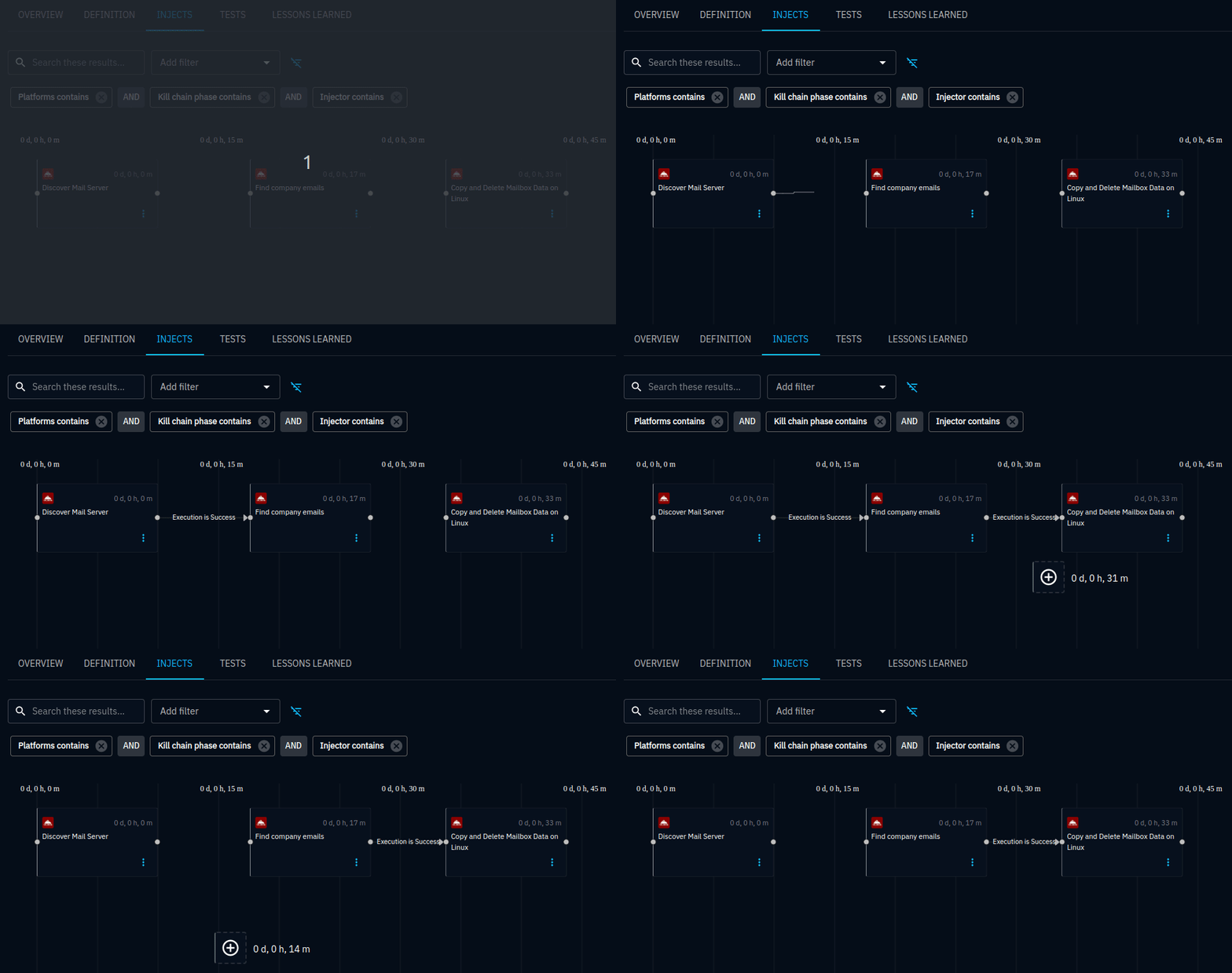
Links created this way default to the condition "Execution is Success". Edit them via the Inject update form to set more specific conditions. You can reposition or remove links by dragging them to an empty area.
In practice
You are simulating a multi-stage attack:
- Inject 1: phishing email with a malicious attachment.
- Inject 2: Threat arsenal action execution on the endpoint (child of Inject 1, condition: Prevention expectation = Fail).
- Inject 3: lateral movement (child of Inject 2, condition: Execution = Success).
If the EDR blocks the attachment (Prevention = Success), Inject 2 and 3 are automatically skipped.
Export and import
The export/import feature transfers Injects, along with their configuration (arguments, content, tags, Expectations), between Simulations, Scenarios, and Atomic tests, even across different OpenAEV instances.
Why export/import?
- Reuse proven Injects: export a well-tuned phishing Inject and import it into a new Scenario.
- Share across teams: distribute standardized Injects to other operators.
- Migrate between environments: move Injects from a lab instance to production.
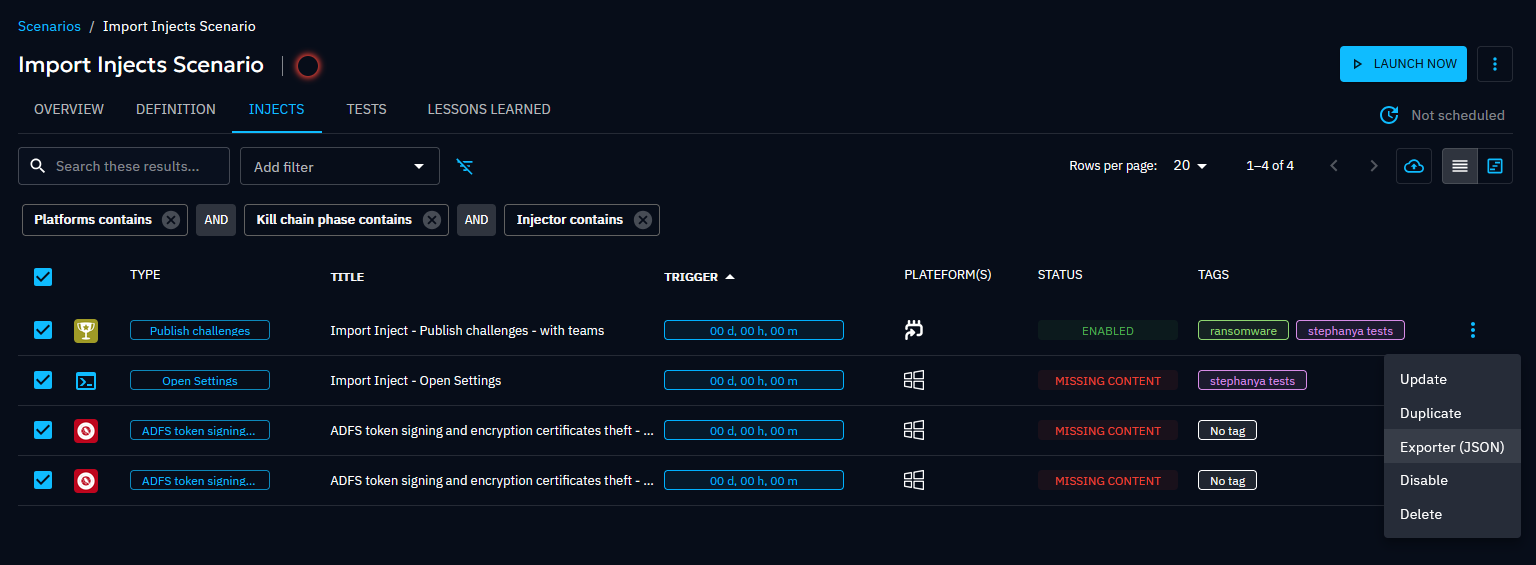
Export
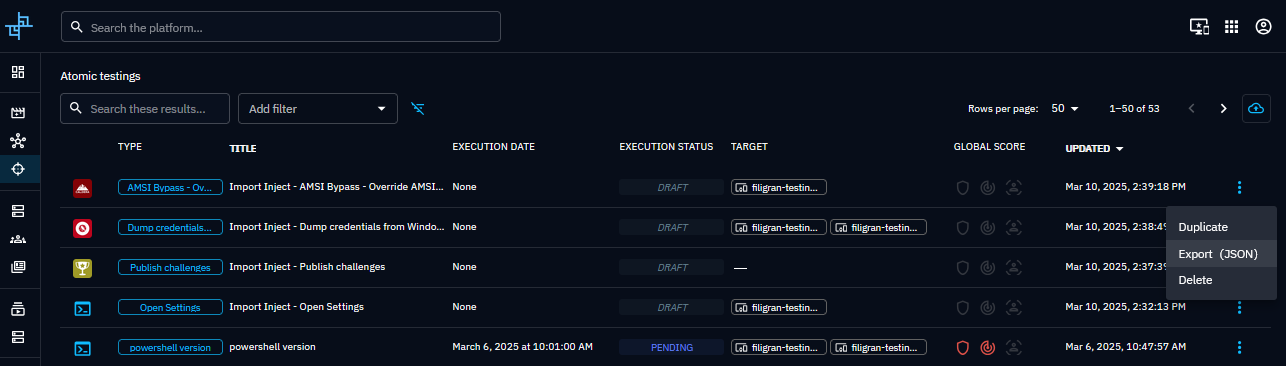
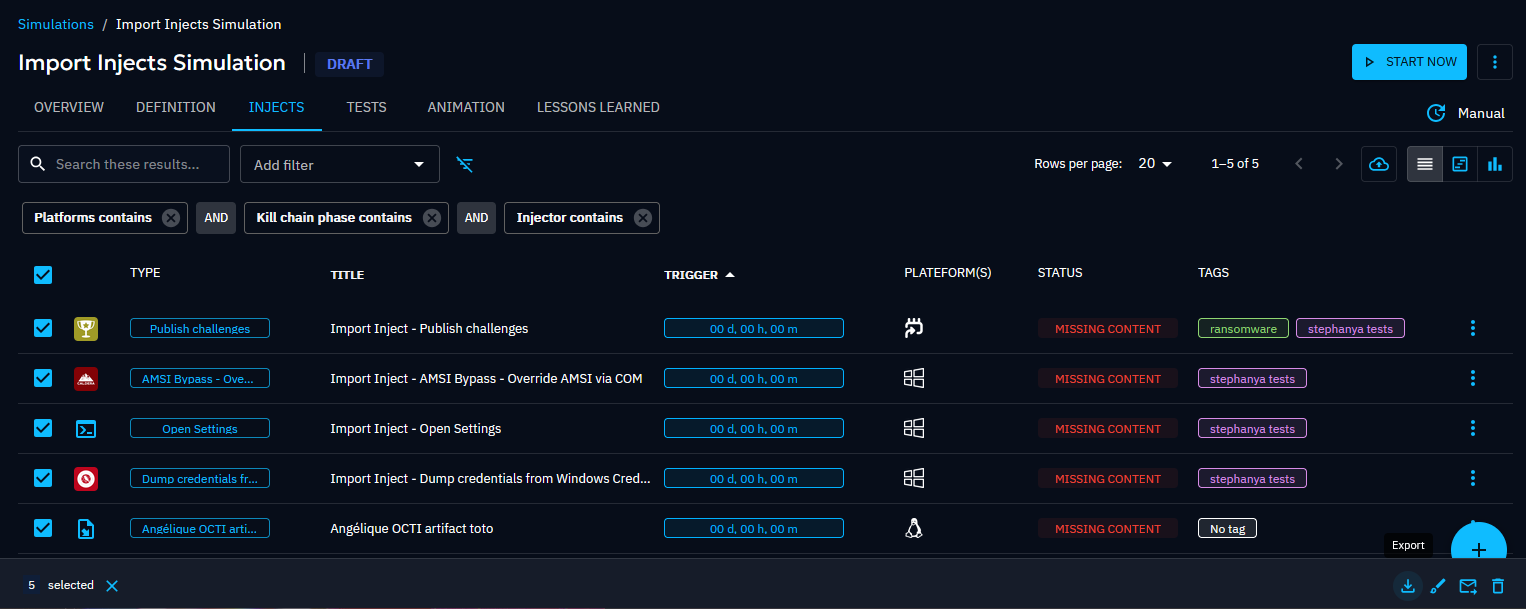
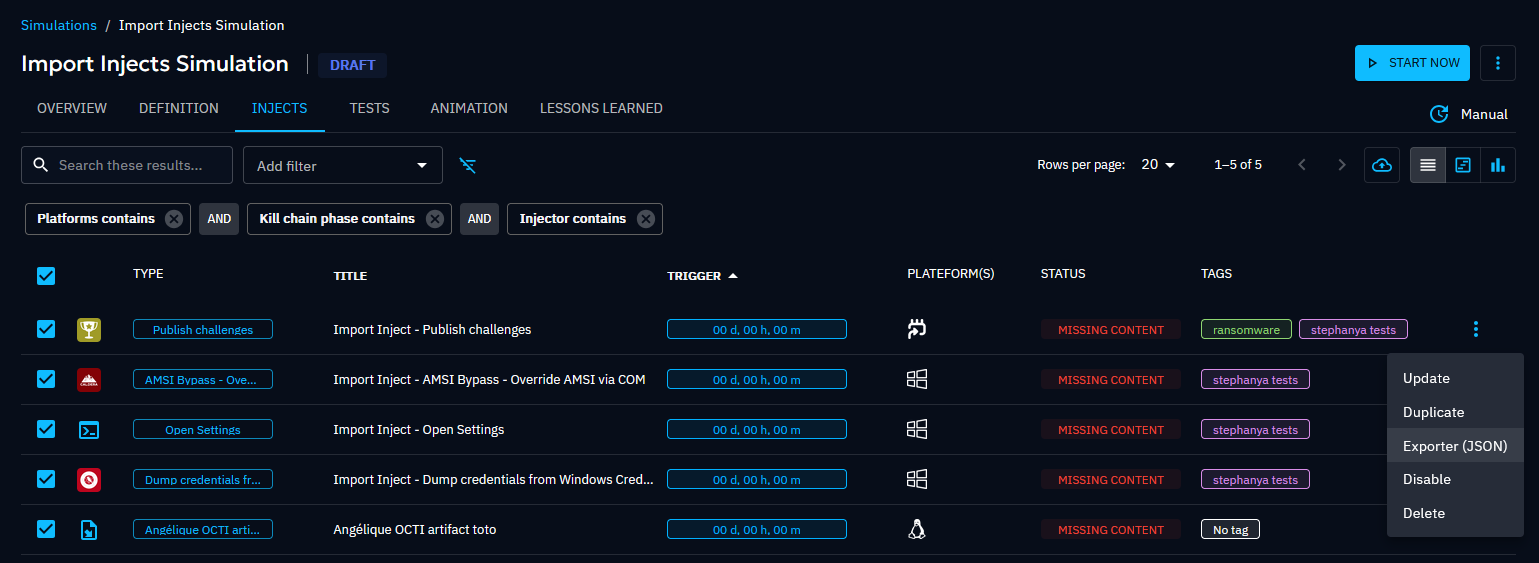
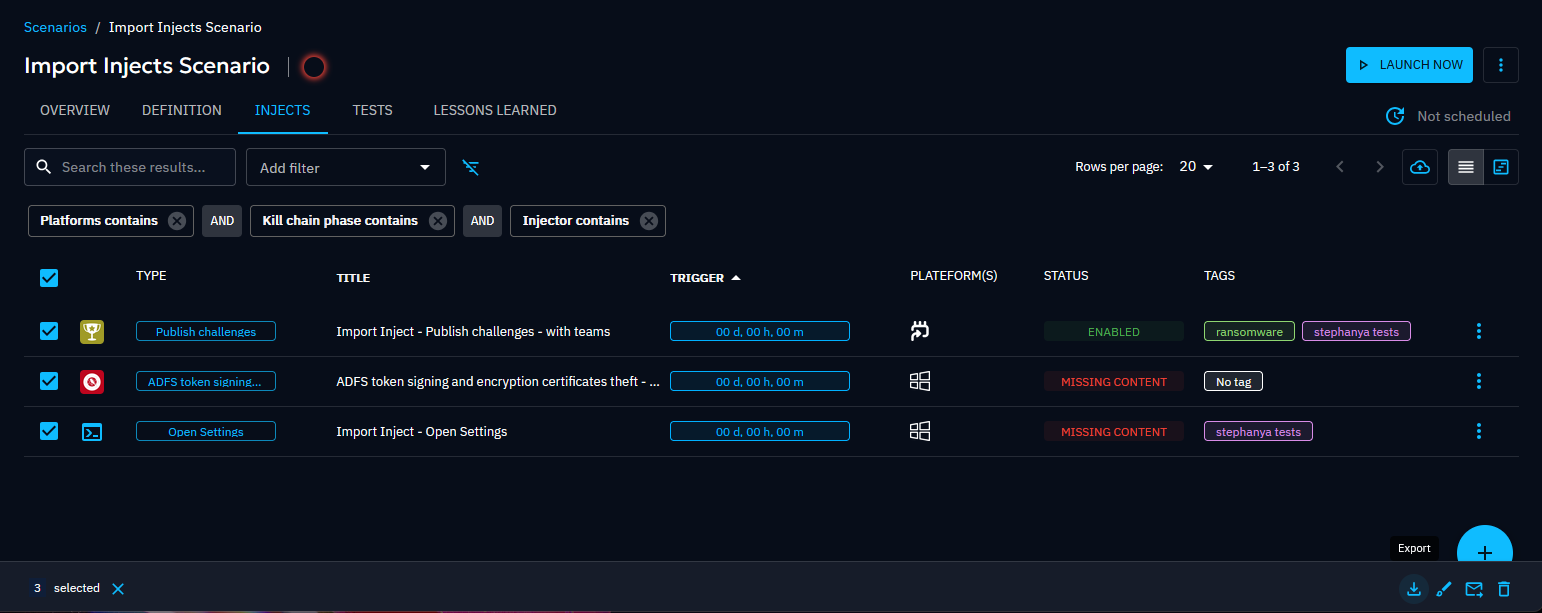
- Navigate to the Injects list in your Simulation, Scenario, or Atomic test.
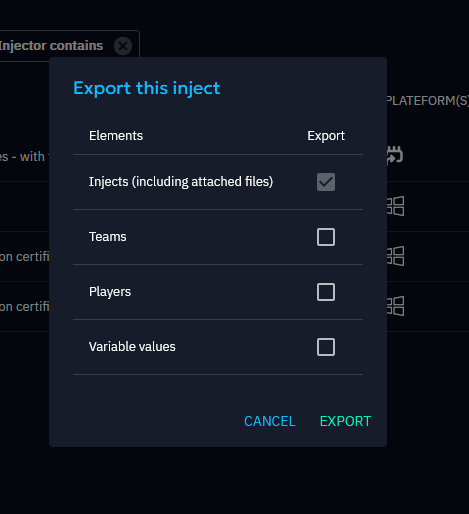
- Select the Injects to export (or use the contextual menu for a single Inject).
- Choose whether to include Teams/Players in the export.
- Download the export file.
| Rule | Detail |
|---|---|
| Multiple Injects | Supported for Scenarios and Simulations |
| Atomic testing | Only one Inject per export |
| Teams/Players | Optional, opt in during export |
| Assets | Never exported |
| Permissions | Read access on the source Scenario/Simulation; Admin for Atomic tests |
Import
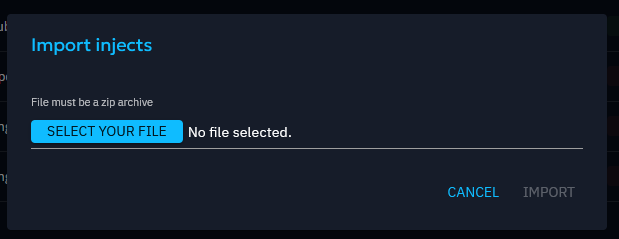
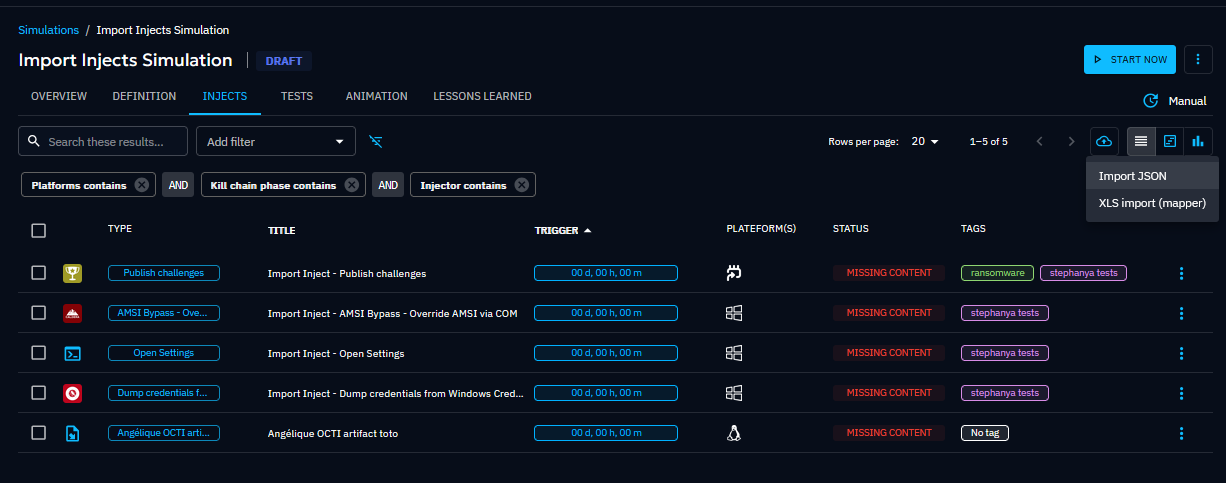
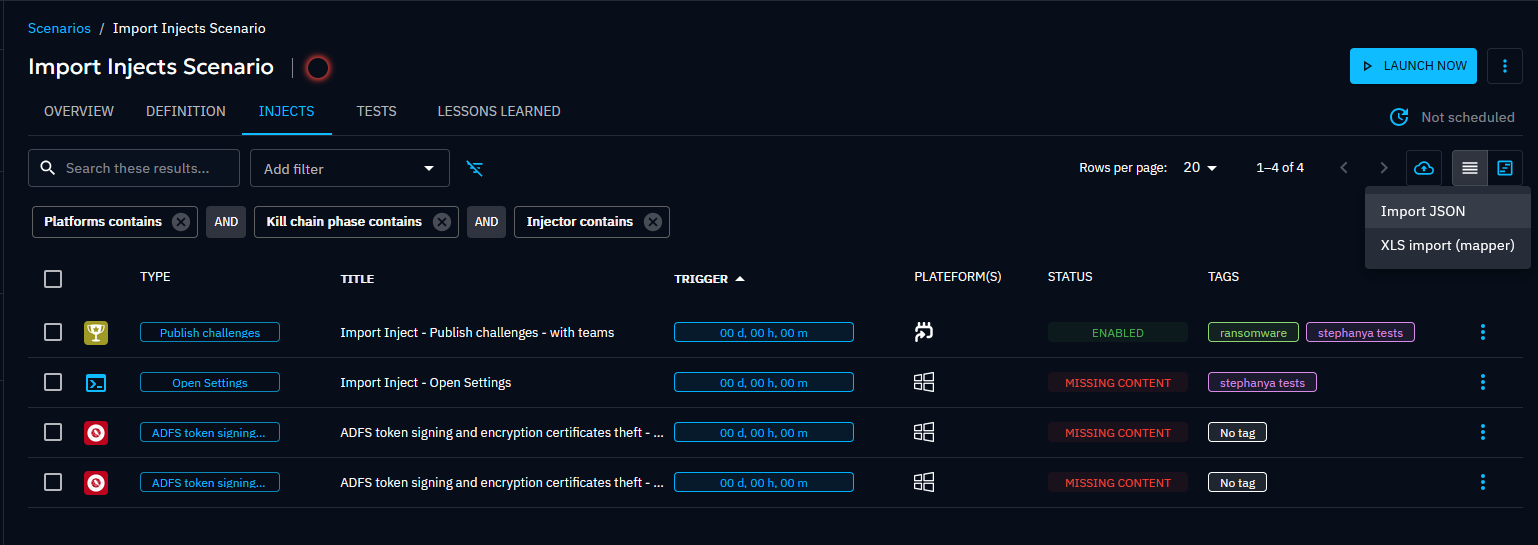
- Navigate to the Injects list in the destination Simulation, Scenario, or Atomic test.
- Click the import action.
- Select the export file. Injects are created with their original configuration.
| Rule | Detail |
|---|---|
| Cross-type import | Import from any source type into any destination type |
| Permissions | Write access on the destination Scenario/Simulation; Admin for Atomic tests |

In practice
Your red team built a set of credential-dumping Injects in a lab Scenario:
- Export the Injects from the lab Scenario (include Teams).
- Import them into the production Simulation targeting the finance department.
- Adjust target Assets and timing. The rest of the configuration carries over.
Go further
- Build complete attack chains with Scenarios.
- Import Injects from threat intelligence using Scenario generation from OpenCTI.
- Understand Inject statuses to interpret execution results.