Filters
In OpenAEV, you can filter lists, such as Scenarios or Simulations, to show only the items with specific attributes. This page explains how to filter in the UI and the FilterGroup format used by the REST API search endpoints.
Filters in the UI
Filters are not stored in the database. Your browser keeps them in local storage for each view, so you find them again when you come back. They are also saved in the URL, so you can bookmark and share a filtered view.
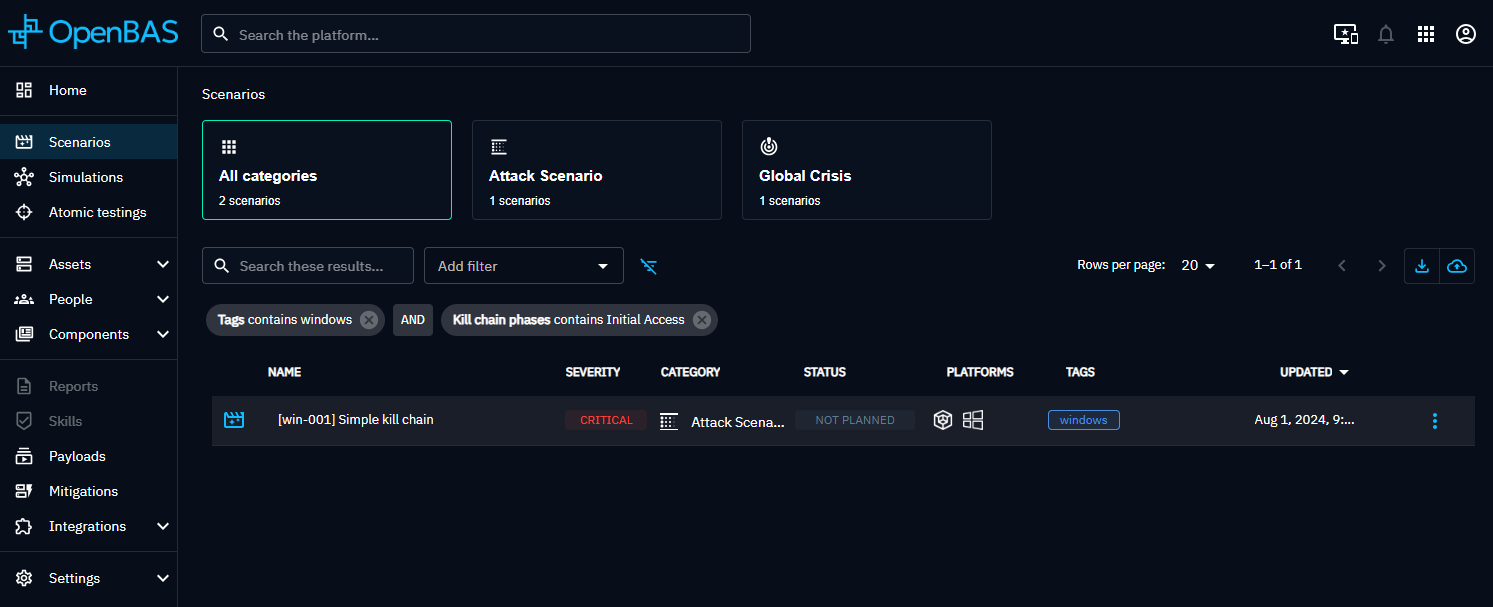
Create a filter
- Pick an attribute in the Add filter box. It lists the attributes you can filter on in the current view.
- In the box that opens, select the operator.
- Select the values to compare, unless the operator is empty or not empty.
You can add as many filters as you need.
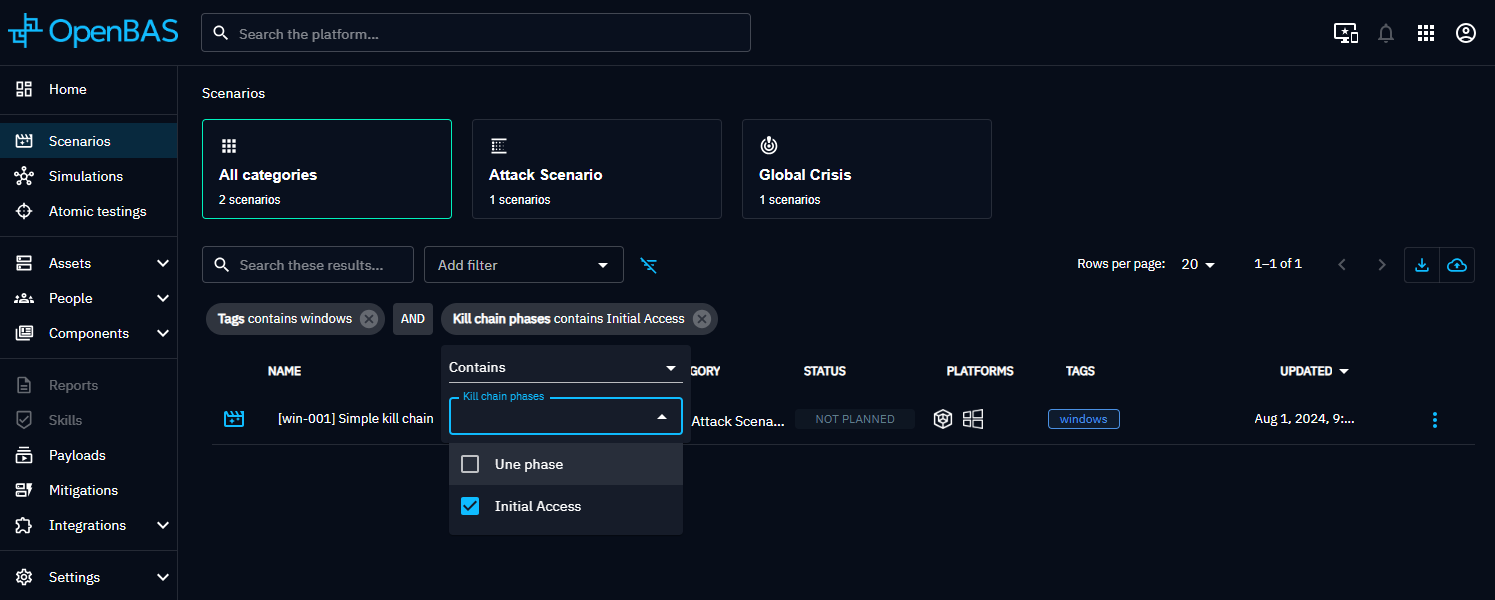
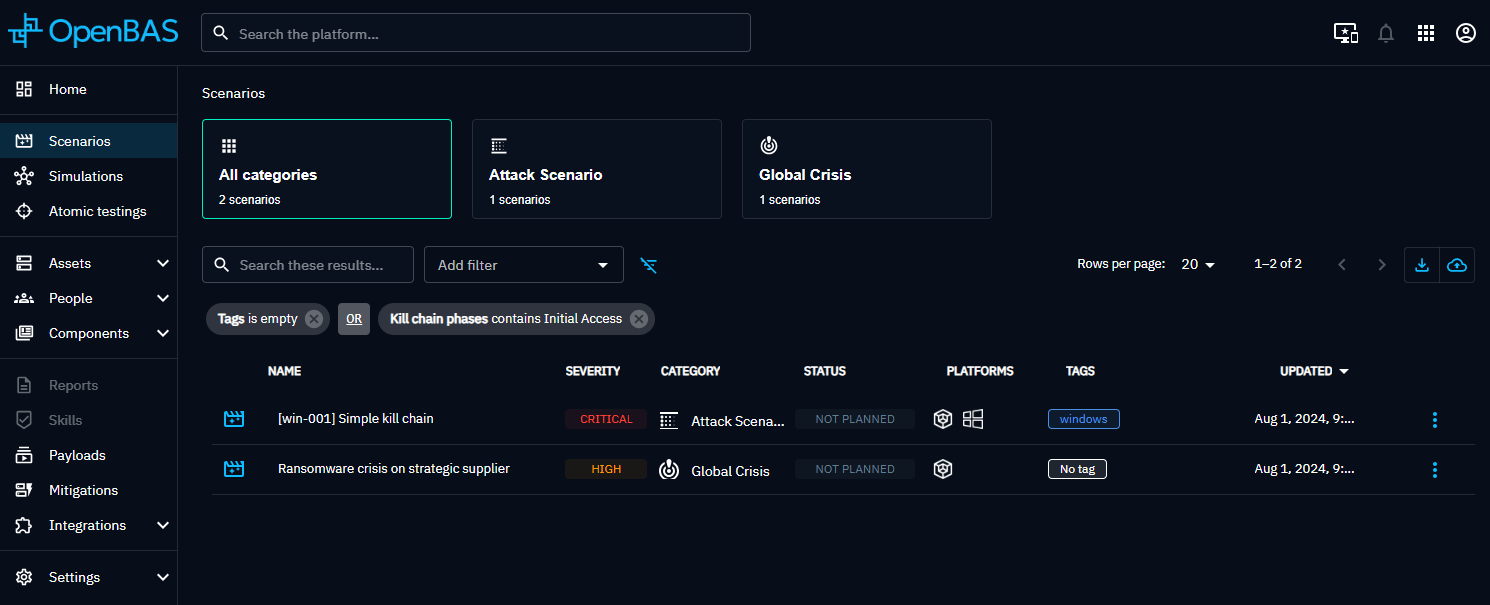
The boolean mode (AND or OR) between filters is global to the view. Click it to switch between AND and OR.
Filter format
Search endpoints accept a filterGroup object in the request body:
{
  "filterGroup": {
    "mode": "and",
    "filters": [
      {
        "id": "name-filter",
        "key": "scenario_name",
        "mode": "or",
        "operator": "contains",
        "values": ["ransomware", "phishing"]
      }
    ]
  }
}
Filter group
| Property | Type | Description |
|---|---|---|
mode |
string | and or or. Boolean operation between the filters of the group. Required by the OpenAPI schema; defaults to and |
filters |
array | List of filters |
Filter
| Property | Type | Description |
|---|---|---|
id |
string | Filter identifier. Required by the OpenAPI schema |
key |
string | Attribute to filter on, for example scenario_name or scenario_tags. Required |
operator |
string | Operation between the attribute and the values, see Operators |
values |
array of strings | Values to compare with. Relations, such as tags, are matched by ID |
mode |
string | and or or. Boolean operation between the values when there are several |
Operators
| Value | Meaning |
|---|---|
eq |
Equal |
not_eq |
Not equal |
contains |
Contains |
not_contains |
Does not contain |
starts_with |
Starts with |
not_starts_with |
Does not start with |
gt |
Greater than |
gte |
Greater than or equal |
lt |
Lower than |
lte |
Lower than or equal |
empty |
Empty, no value |
not_empty |
Not empty, any value |
By default, the UI offers these operators depending on the attribute type. Some attributes override this list.
| Attribute type | Operators |
|---|---|
| Text | eq, not_eq, contains, not_contains, starts_with, not_starts_with |
| Single value from a list (enum or reference) | eq, not_eq, empty, not_empty |
| List (array), such as tags | contains, not_contains, empty, not_empty |
| Date | gt, gte, lt, lte, empty, not_empty |
| Number | gt, gte, lt, lte, eq, not_eq, empty, not_empty |
Note
- Negative operators (
not_eq,not_contains,not_starts_with) always combine values with AND, whatever the filtermode: the result excludes all the values. - Text comparisons (
eq,not_eq,contains,starts_withand their negations) are case-insensitive. - Date values use the ISO 8601 format, for example
2026-01-31T00:00:00Z. - An unknown
operatorfalls back toeq, and an unknownmodefalls back toand.
What's next?
- REST API -- Authentication, pagination and search endpoints