Deploy Collectors
This page explains how to deploy and configure Collectors. To learn what Collectors do, see Collectors.
Installing a collector
You can deploy a Collector in three ways:
- with the Integration Manager (recommended);
- with Docker;
- manually.
Note
Collectors must reach the OpenAEV API. See Configuration for the required parameters.
Integration Manager (recommended)
The Integration Manager deploys Collectors directly from the OpenAEV interface. See the Integration Manager documentation.
Docker deployment
To add a Collector to your existing deployment, for example MITRE ATT&CK, add a service to your docker-compose.yml file:
  collector-mitre-attack:
    image: openaev/collector-mitre-attack:latest
    environment:
      - OPENAEV_URL=http://localhost
      - OPENAEV_TOKEN=ChangeMe
      - COLLECTOR_ID=ChangeMe # a valid UUIDv4 of your choice
      - "COLLECTOR_NAME=MITRE ATT&CK"
      - COLLECTOR_LOG_LEVEL=error
    restart: always
Collector images and versions are on Docker Hub.
To run a Collector on its own, use the docker-compose.yml file in its folder of the collectors repository, set its parameters, then run:
Manual deployment
Manual deployment needs Python 3.14 or later and Poetry. Follow the Manual deployment section of the Collector's README: copy config.yml.sample to config.yml, set the values, then install and run the Collector with Poetry.
Configuration
Collectors need OPENAEV_URL and OPENAEV_TOKEN, plus their own mandatory parameters, listed in each Collector's README.
Collector tokens
You can use your administrator token or create a dedicated account to put in your collectors. It is not necessary to have one dedicated user for each collector.
When you deploy a collector from the Integration Manager, OpenAEV fills OPENAEV_TOKEN with the token of the user who creates the instance, and OPENAEV_TENANT_ID with the current Tenant.
Example of config.yml:
openaev:
  url: 'http://localhost:8080'
  token: 'ChangeMe'

collector:
  id: 'ChangeMe'
  name: 'MITRE ATT&CK'
  log_level: 'info'
Run a collector outside the Integration Manager
You can run a collector on your own network, for example next to an on-premises SIEM when OpenAEV is hosted as SaaS.
The collector only opens outbound connections: to the OpenAEV URL and to the tool it collects from. OpenAEV never connects to the collector, so the collector host needs no inbound port. Allow outbound HTTPS from this host to your OpenAEV URL.
Create a dedicated account for collectors
- Go to Settings > Security > Users and click
+. Use an email address whose mailbox you can read: OpenAEV sends a reset code to this address to set the password. - Go to Settings > Security > Groups and add the user to a Group whose Role has the Bypass (user has all rights) capability, so the account has the same rights as an administrator token (see Users and RBAC).
- Log in with this account, open the Profile page, and copy the token from the API access section. Only the account owner sees this token.
- Set
OPENAEV_URL,OPENAEV_TOKEN, andOPENAEV_TENANT_IDin the collector configuration. The Tenant ID is the Tenant identifier shown in Settings > Parameters. - Start the collector with Docker or manually.
Warning
RENEW in the API access section replaces the token. Collectors that use the old token stop working until you update them.
Collectors status
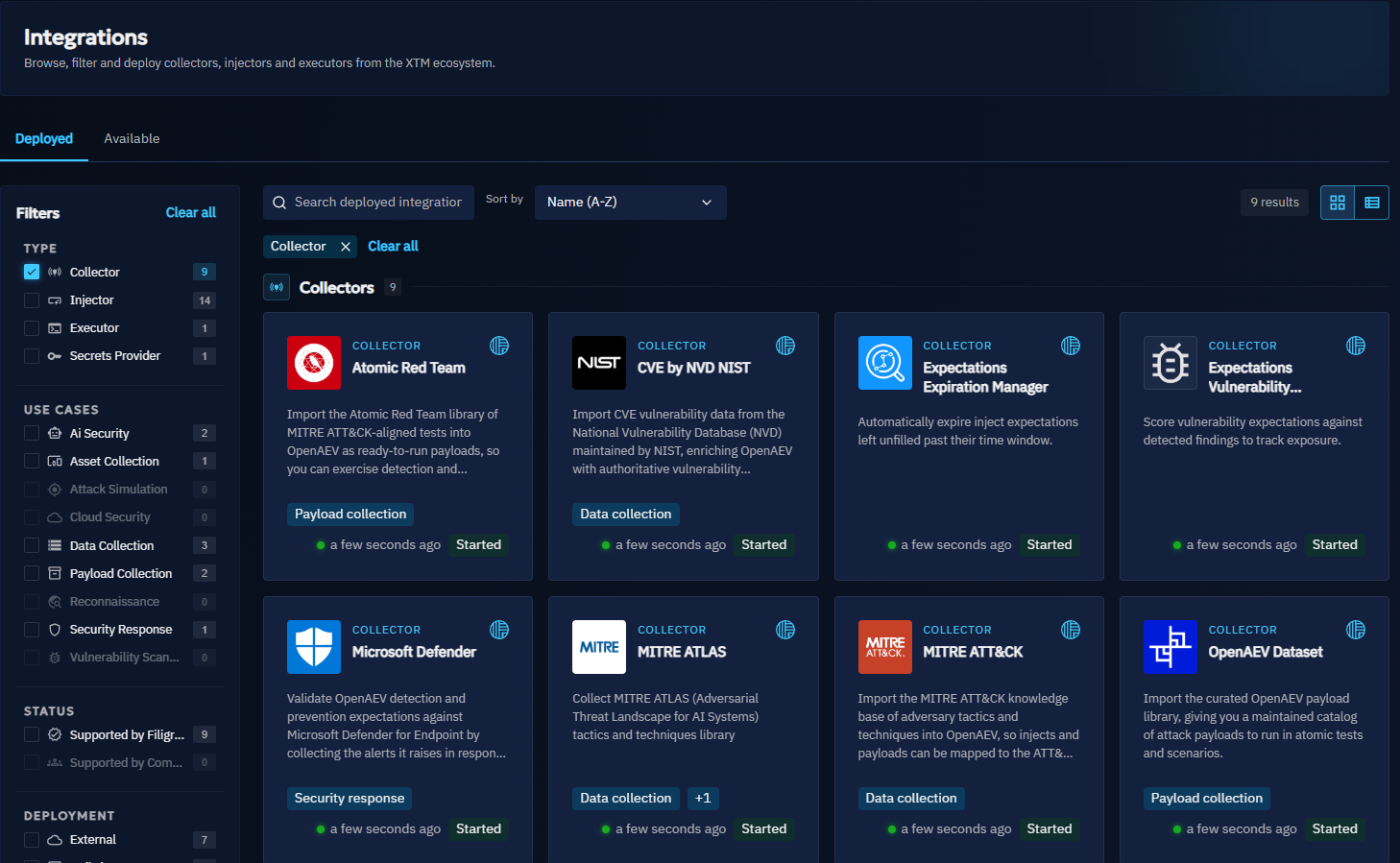
To see a Collector's status, open Integrations and the Deployed tab. Each card shows whether the Collector is started and when it was last seen. If the Integration Manager deployed it, select it to see its logs in the Logs tab.
What's next?
- Collectors -- Main types of Collectors
- Collector development -- Build your own Collector