Deploy Injectors
This page explains how to deploy and configure Injectors. To learn what Injectors do, see Injectors.
Built-in Injectors
Some Injectors, such as email, SMS or media pressure, are embedded in the platform. To configure them, set their parameters in the platform configuration.
External Injectors
You can deploy an external Injector in three ways:
- with the Integration Manager (recommended);
- with Docker;
- manually.
Note
External Injectors must reach the OpenAEV API. They need OPENAEV_URL and OPENAEV_TOKEN, plus their own mandatory parameters, listed in each Injector's README.
Integration Manager (recommended)
The Integration Manager deploys Injectors directly from the OpenAEV interface. See the Integration Manager documentation.
Docker
To add an Injector to your existing deployment, for example HTTP query, add a service to your docker-compose.yml file:
  injector-http-query:
    image: openaev/injector-http-query:latest
    environment:
      - OPENAEV_URL=http://localhost
      - OPENAEV_TOKEN=ChangeMe
      - INJECTOR_ID=ChangeMe # a valid UUIDv4 of your choice
      - "INJECTOR_NAME=HTTP query"
      - INJECTOR_LOG_LEVEL=error
    restart: always
Injector images and versions are on Docker Hub.
To run an Injector on its own, use the docker-compose.yml file in its folder of the injectors repository, set its parameters, then run:
Manual deployment
Manual deployment needs Python 3.11 or later and Poetry. Copy config.yml.sample to config.yml, set the values, then follow the Manual deployment section of the Injector's README. For example, for HTTP query:
git clone https://github.com/OpenAEV-Platform/injectors.git
cd injectors/http-query
cp config.yml.sample config.yml
poetry install
poetry run python -m http_query.openaev_http
Example of config.yml:
openaev:
  url: 'http://localhost:8080'
  token: 'ChangeMe'

injector:
  id: 'ChangeMe'
  name: 'HTTP query'
  log_level: 'info'
Injector tokens
You can use your administrator token or an administrator service account. You do not need one user per Injector.
Networking
Injectors reach RabbitMQ with the configuration the platform gives them, so they must reach RabbitMQ on that hostname and port. With Docker, attach the Injector container to the OpenAEV network, for example:
Injector status
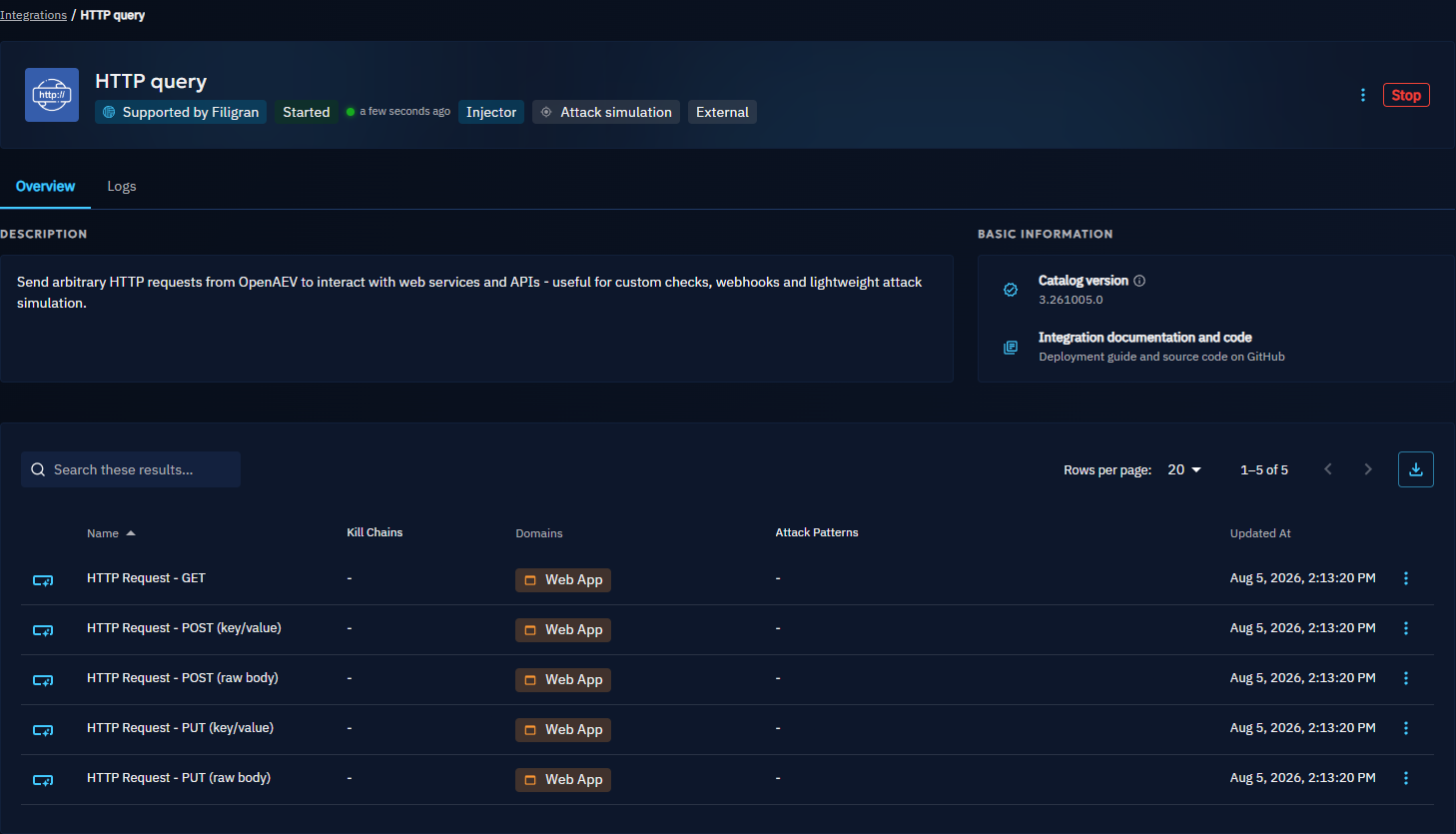
To see an Injector's status, open Integrations and the Deployed tab. Each card shows whether the Injector is started and when it was last seen. Select an Injector to see its contracts and, if the Integration Manager deployed it, its logs in the Logs tab.
What's next?
- Injectors -- Main types of Injectors
- Injector development -- Build your own Injector