Tanium Executor
The Tanium Executor runs OpenAEV implants through the Tanium agent already deployed on your endpoints.
Enterprise Edition
This Executor requires an Enterprise Edition license. See Executors.
Configure the Tanium platform
Import the two OpenAEV Tanium packages into the Tanium platform.

Tanium package configuration
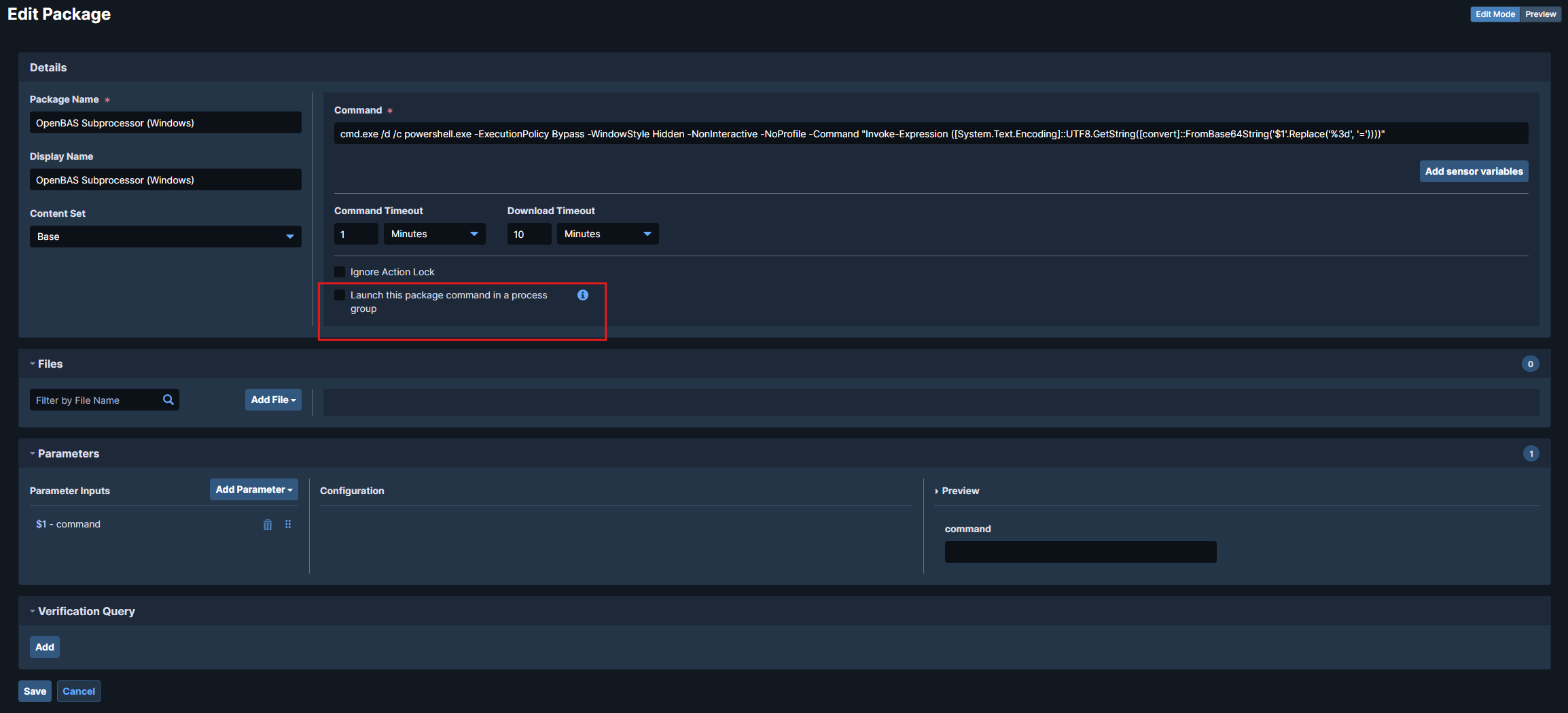
OpenAEV runs implants as detached processes, so uncheck "Launch this package command in a process group" in the package configuration:
Tanium Threat Response usage
If your endpoints use Tanium Threat Response (TTR), use the dedicated TTR package. It works in all cases but performs more operations on the machine and generates more noise and alerts, so prefer the standard package without TTR.
Packages to import:
Scripts to attach in the package configuration into files section:
| Package type | Recommended use case | Characteristics |
|---|---|---|
| Standard Tanium package | Default use with Tanium agent only | Lightweight, minimal impact, recommended in most scenarios |
| TTR package | Tanium agent + Tanium Threat Response | Enables additional operations, may generate more noise |
Once the packages are imported, get their IDs from the URL ui/console/packages/XXXXX/preview.
Common group IDs in Tanium
- Computer Group ID: identifies which endpoints will be queried.
- Action Group ID: identifies where actions (like package execution) are allowed.
Configure the OpenAEV platform
Tanium API Key
The Tanium API key must be allowed to:
- retrieve the endpoint list from the Tanium GraphQL API;
- launch packages on endpoints.
Checks
Endpoints from the selected computer groups appear in Assets > Endpoints:

What's next?
- Executors -- Compare Executors, implant cleanup and troubleshooting
- Inject status -- Understand Inject results and timeouts