CrowdStrike Falcon Executor
The CrowdStrike Falcon Executor runs OpenAEV implants through the Falcon agent already deployed on your endpoints, with Real Time Response scripts.
Enterprise Edition
This Executor requires an Enterprise Edition license. See Executors.
Configure the CrowdStrike platform
Upload OpenAEV scripts
Create two custom scripts, one for Windows and one for Unix (Linux and macOS), in Host setup and management > Response and containment > Response scripts and files. You can rename them: their names go in the OpenAEV configuration.
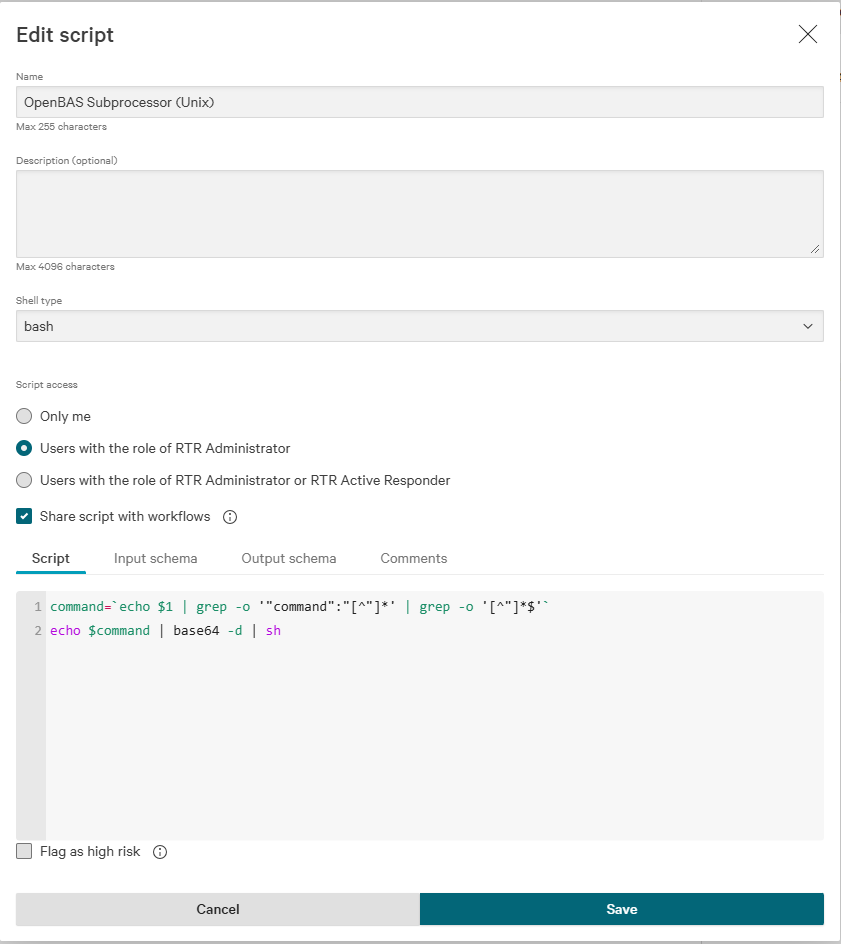
Unix Script
| Attribute | Value |
|---|---|
| name | OpenAEV Subprocessor (Unix) |
| shell type | bash |
| script access | Users with the role of RTR (Real Time Response) Administrator or RTR Active Responder |
| shared with workflows | yes |
Script:
Input schema:
{
  "$schema": "https://json-schema.org/draft/2020-12/schema",
  "properties": {
    "command": {
      "type": "string"
    }
  },
  "required": [
    "command"
  ],
  "type": "object",
  "description": "This generated schema may need tweaking. In particular format fields are attempts at matching workflow field types but may not be correct."
}
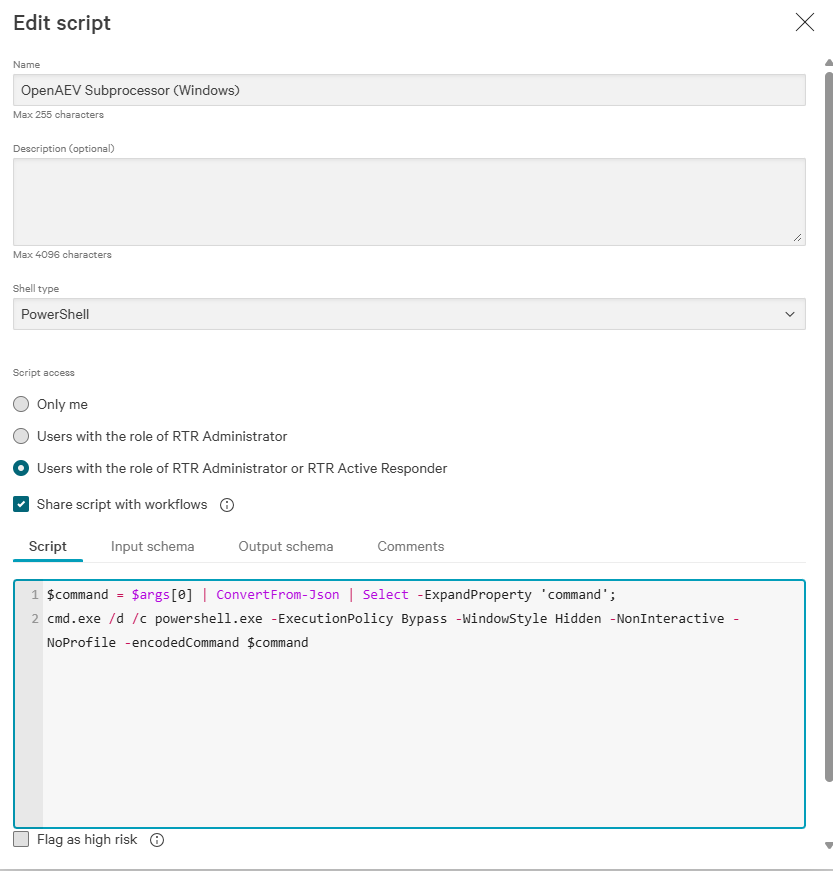
Windows script
| Attribute | Value |
|---|---|
| name | OpenAEV Subprocessor (Windows) |
| shell type | PowerShell |
| script access | Users with the role of RTR Administrator or RTR Active Responder |
| shared with workflows | yes |
Script:
$command = $args[0] | ConvertFrom-Json | Select -ExpandProperty 'command';
cmd.exe /d /c powershell.exe -ExecutionPolicy Bypass -WindowStyle Hidden -NonInteractive -NoProfile -encodedCommand $command
Input schema:
{
  "$schema": "https://json-schema.org/draft/2020-12/schema",
  "properties": {
    "command": {
      "type": "string"
    }
  },
  "required": [
    "command"
  ],
  "type": "object",
  "description": "This generated schema may need tweaking. In particular format fields are attempts at matching workflow field types but may not be correct."
}
Once created, your RTR scripts look like this:

Create a host group with your targeted Assets
Go to Host setup and management > Host groups.
Create or update response policies for your targeted platforms
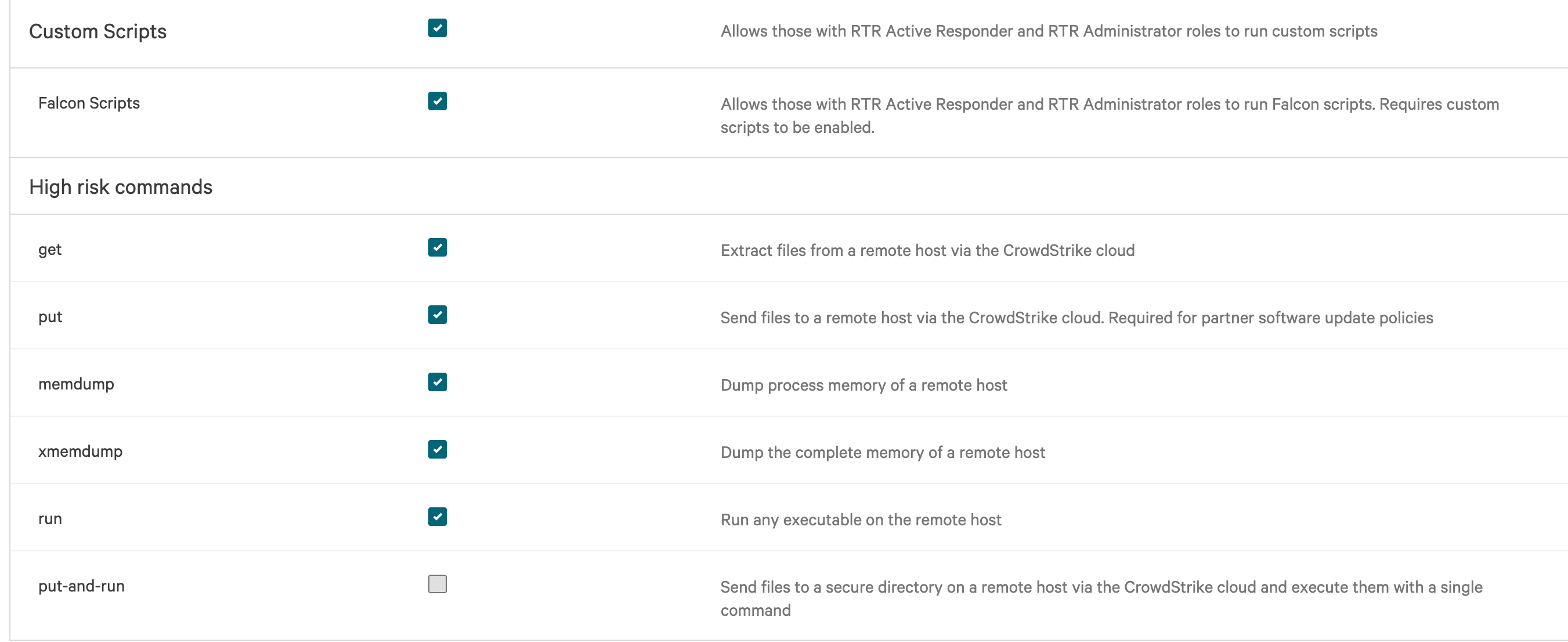
OpenAEV runs implants as custom scripts, so your Assets need a response policy that allows them.
-
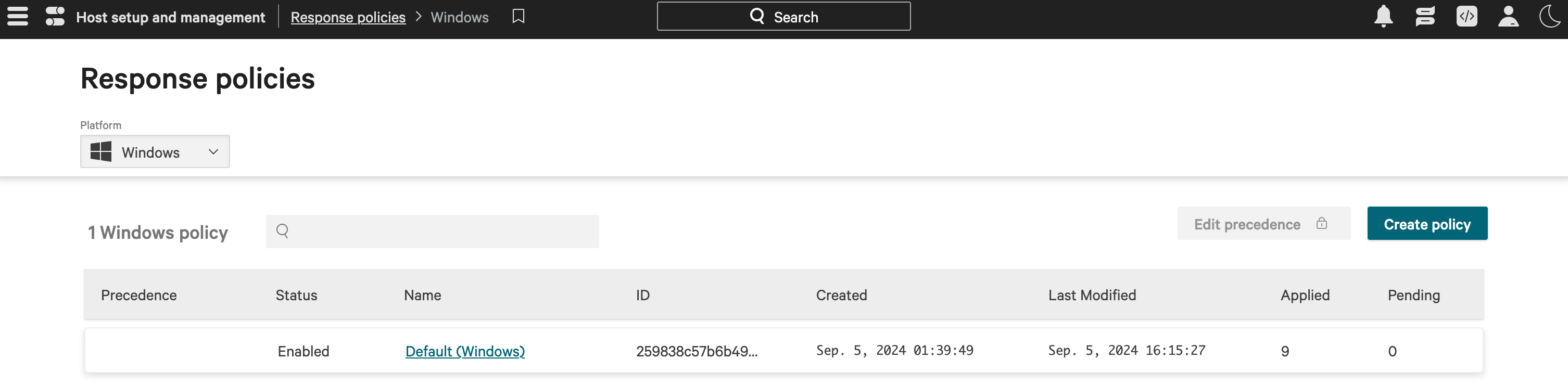
Go to Host setup and management > Response policies, choose a platform in the top left selector, then click Create policy or open an existing one.
-
Allow Custom Scripts, and Falcon Scripts if the option exists. Set the other options according to your security policy, then click Save.
-
In the Assigned host groups tab, add the host group created above. The policy can take a few minutes to apply: the Pending column shows 0 once it is applied.
Configure the OpenAEV platform
CrowdStrike API Key
The CrowdStrike API key needs these permissions: API integrations, Hosts, Host groups, Real time response.
Checks
Assets and asset groups from the selected host groups appear in OpenAEV:

What's next?
- Executors -- Compare Executors, implant cleanup and troubleshooting
- Inject status -- Understand Inject results and timeouts