Documents
Documents are files you upload to OpenAEV and attach to Injects or Threat Arsenal Actions. They provide context to Players during a Simulation (briefing notes, procedure guides) or serve as payloads for file-drop actions on endpoints.
Why use Documents?
- Attach briefing materials or procedure guides to table-top Injects so Players have the information they need.
- Include file attachments in email Injects.
- Create File Drop Threat Arsenal Actions that deliver files to target Assets.
Create a Document
To create a new document, follow these steps:
- Click the + button in the bottom right corner of the screen.
- Select a file to create your document.
- Optionally, add a description and tags to provide additional context. You can also link your Documents directly to specific Simulations or Scenarios.
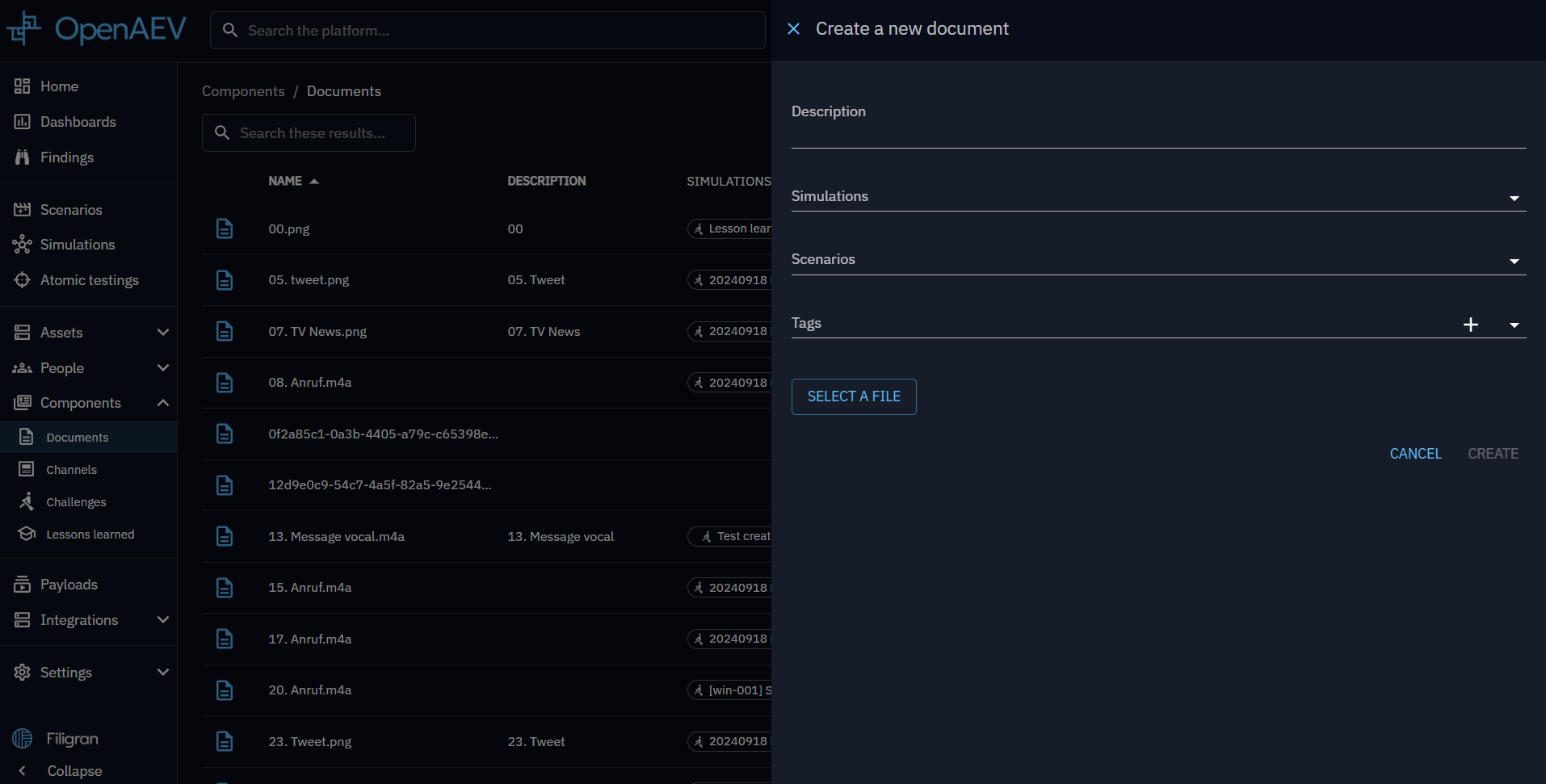
After completing these steps, your new document will appear in the document list. Clicking on a document in the list will allow you to download it.
Use a Document
You can add Documents to table-top Injects and Threat Arsenal Actions.
When creating a table-top Inject, attach Documents to provide context or, in the case of email Injects, to include attachments.
You can also create a File Drop Threat Arsenal Action and include your Documents within it.
What's next?
- Scenarios -- Attach Documents to your Scenarios
- Injects -- Use Documents in table-top Injects
- Threat Arsenal -- Create File Drop actions with your Documents