Default Asset rules
Default Asset rules automatically apply Asset groups to Injects based on a Scenario's tags. They prevent repetitive manual assignment when you consistently target the same Assets for specific types of Scenarios.
Why use default Asset rules?
When you work with Scenarios that share common tags (e.g., "ransomware", "phishing"), you typically target the same set of endpoints. Default Asset rules automate this by linking tags to Asset groups, so every new Inject in a tagged Scenario gets the right Assets automatically.
How it works
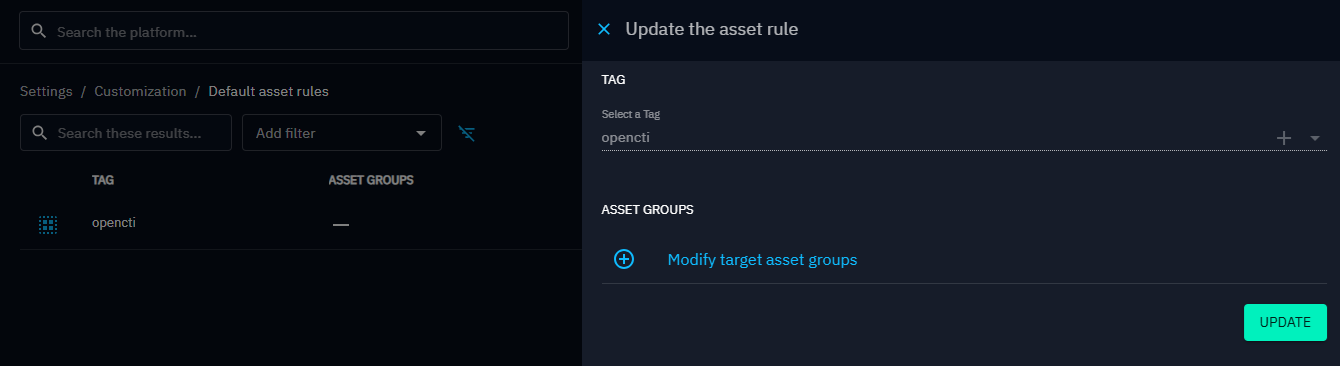
Each rule consists of a tag and a list of Asset groups. The rules are applied in two situations:
- When creating an Inject: If the Scenario has a tag matching a rule, the associated Asset groups are automatically applied to the new Inject.
- When adding a tag to a Scenario: If the new tag matches a rule, a popup asks whether to apply the default Asset groups to all existing Injects in the Scenario.
Manage rules in Settings > Customization > Default asset rules.
OpenCTI default rule
A rule for the opencti tag is created automatically. This tag is applied to all Scenarios generated from OpenCTI data (see Generating Scenarios from OpenCTI). The OpenCTI default rule cannot be removed, and its tag cannot be modified.
What's next?
- Assets -- Manage endpoints and Asset groups
- Scenario -- Create and configure Scenarios
- Parameters -- Platform settings