Output parsers
Output parsers process the raw output of an Action execution. Define rules to extract specific data from the output and link it to variables. You can then use those variables to chain Injects.
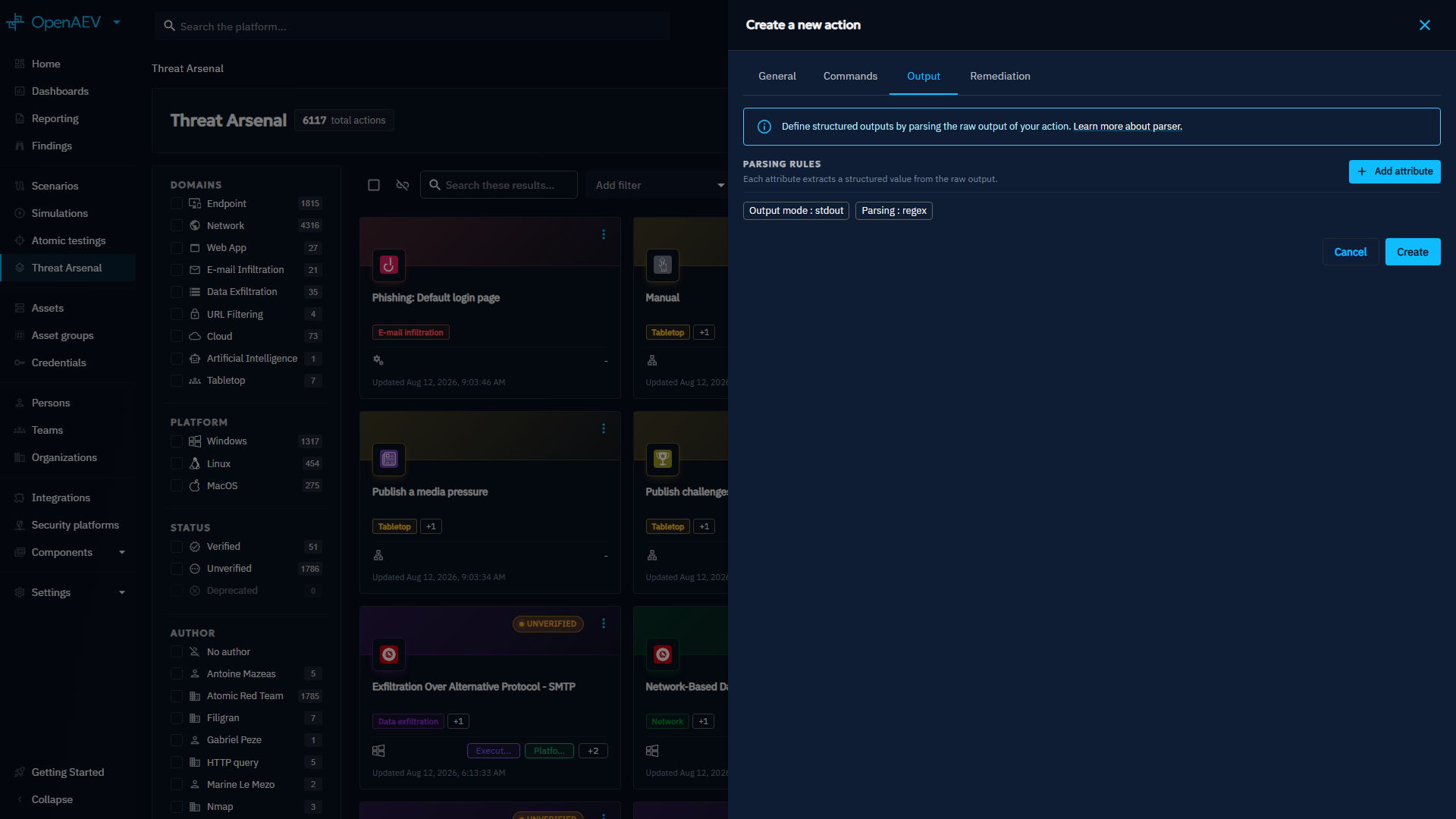
You attach output parsers to an Action from the Output tab of the Action form.
Output parsers currently support the StdOut output mode and the REGEX parsing type.
Why use output parsers?
- Extract structured data from raw output, such as hosts, ports, credentials, or CVEs.
- Generate Findings automatically from an execution.
- Reuse extracted values as variables in the Injects that follow.
Add an output parser to an Action
- Open the Action from the Threat Arsenal view, or create a new one.
- Go to the Output tab.
-
Click Add attribute, then define the properties of the rule as described in Defining a rule. Each attribute extracts one structured value from the raw output.
Defining a rule
When you add a rule with Add attribute, define the following properties:
| Property | Description | Mandatory |
|---|---|---|
| Name | The name of the rule. | Yes |
| Key | A unique key identifier. | Yes |
| Type | The data type to extract, such as Text, Number, Port, Ports scan, IPv4, IPv6, Credentials, CVE, or Vulnerability. | Yes |
| Tags | Tags that help you categorize the rule. | No |
| Regex | A regular expression that extracts data from the raw output. It supports capturing groups and line anchors, such as ^ for the start of a line. The parser applies Pattern.MULTILINE, Pattern.CASE_INSENSITIVE, and Pattern.UNICODE_CHARACTER_CLASS by default. |
Yes |
| Output value | Maps each regex capture group to the corresponding field, based on the selected type. | Yes |
Output value mapping
Depending on the type, you can extract a specific number of fields using the group index from the regex:
| Type | Fields | Output format |
|---|---|---|
| Ports scan | host, port, service | host:port (service) |
| Credentials | username, password | username:password |
| CVE | host, id, severity | host:id (severity) |
| Other | single extracted value | single value |
Prefix the group index with $ to differentiate between multiple capture groups.
To combine multiple groups in a single field, concatenate them by placing the group references next to each other, such
as $n$m. The final value of the field is the composition of these groups.
Example: extracting elements with regex for a port scan rule
The next image shows a rule named Port Scan (port-scan) with the type Ports scan. Its regex pattern
(TCP|UDP)\s+([\d\.\[\]:]+):(\d+)\s+([\d\.\[\]:]+):(\d+|\*)\s+(\S+) matches a line of netstat -an output and
defines six capture groups that you can extract from the raw output.
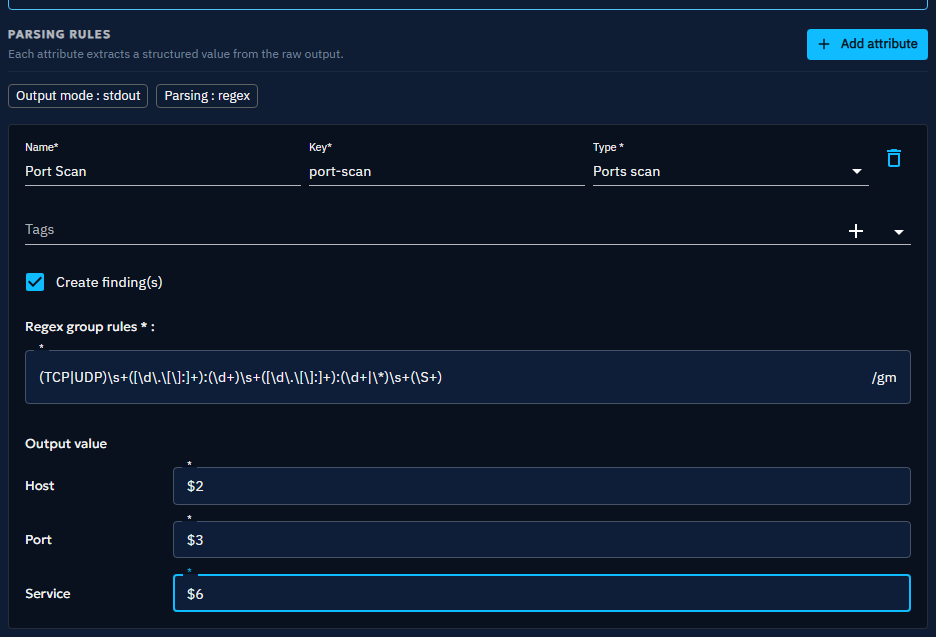
Define the group that builds the output in the Output value section. In this example, each field maps to a specific capture group:
- Host --
$2 - Port --
$3 - Service --
$6
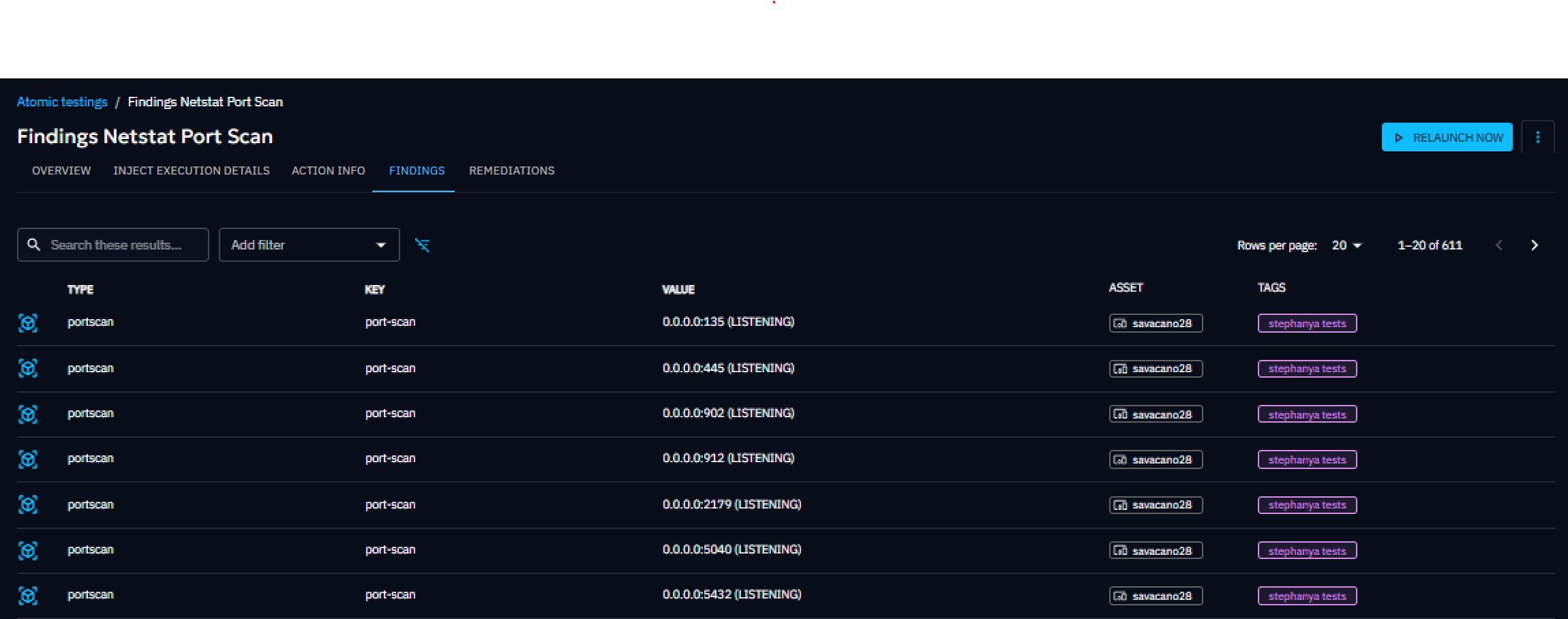
The rule generates the following Finding:
Generate Findings from parsed output
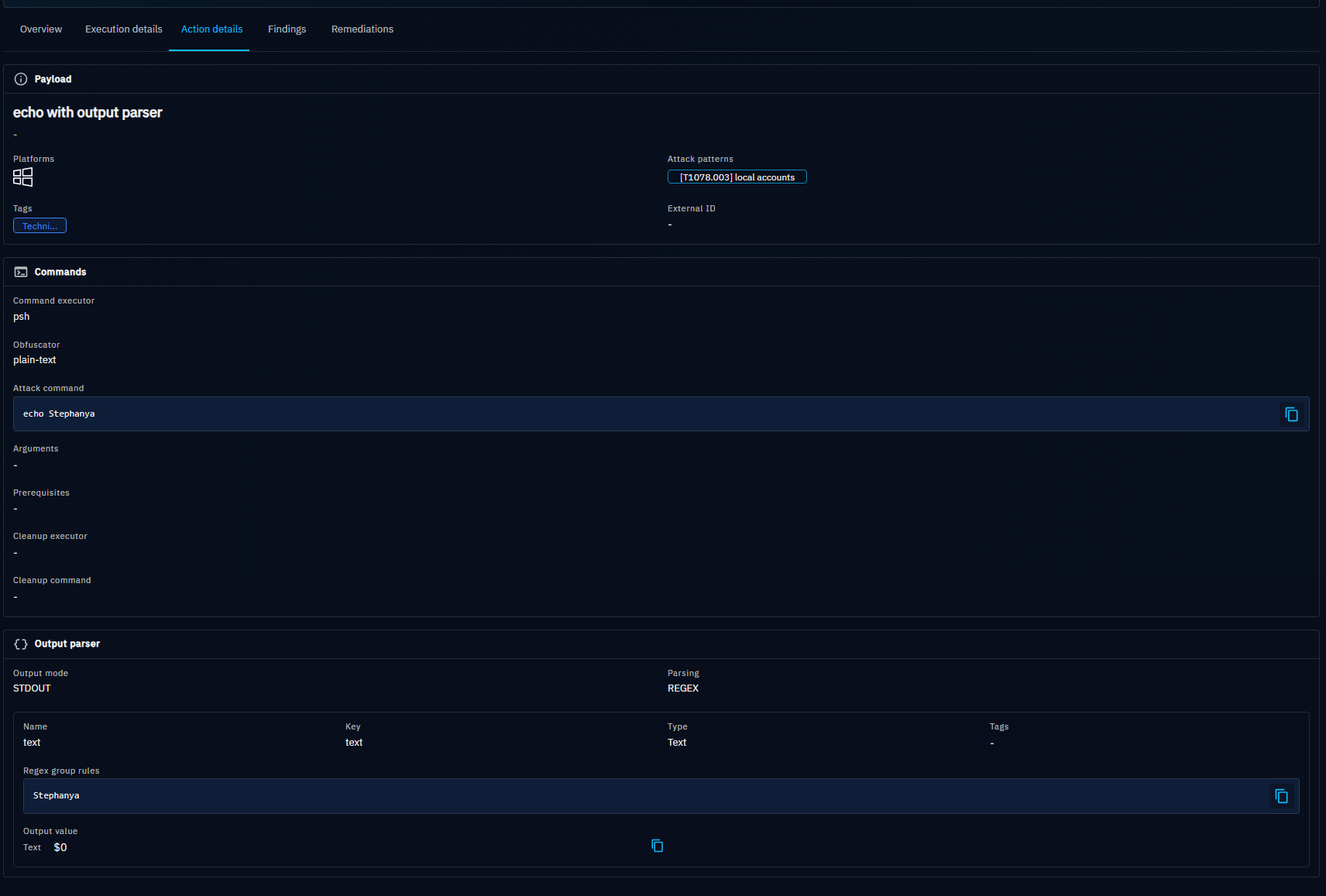
If the extracted data is compatible with a Finding, select Create finding(s) on the rule. The Findings results and the output parser details then appear in the Findings and Action details tabs of the Atomic Testing detail view.

What's next?
- Threat Arsenal -- Create and manage the Actions that output parsers apply to
- Action properties -- Reference of every Action property
- Findings -- View the data extracted from Action executions
- Injects -- Chain Injects with the variables you extract