Challenges
Challenges embed CTF (Capture The Flag) activities into your Simulations. You define a challenge with one or more flags that Players must find, and OpenAEV tracks who solved it and when.
Why use Challenges?
- Test Player skills with hands-on security exercises inside a Simulation.
- Score and rank Player responses automatically.
- Combine Challenges with other Inject types (email, media pressure) for realistic exercise scenarios.
Create a Challenge
To create a new challenge, follow these steps:
- Click the + button at the bottom right corner of the screen.
- Give your new challenge a name and specify one or more flags.
- Optionally, fill in additional fields to provide more context to your players, such as the category, content ( explanation, context, steps), and attach any relevant documents.
- Manage your challenge by setting a score and a maximum number of attempts allowed for completing the challenge.
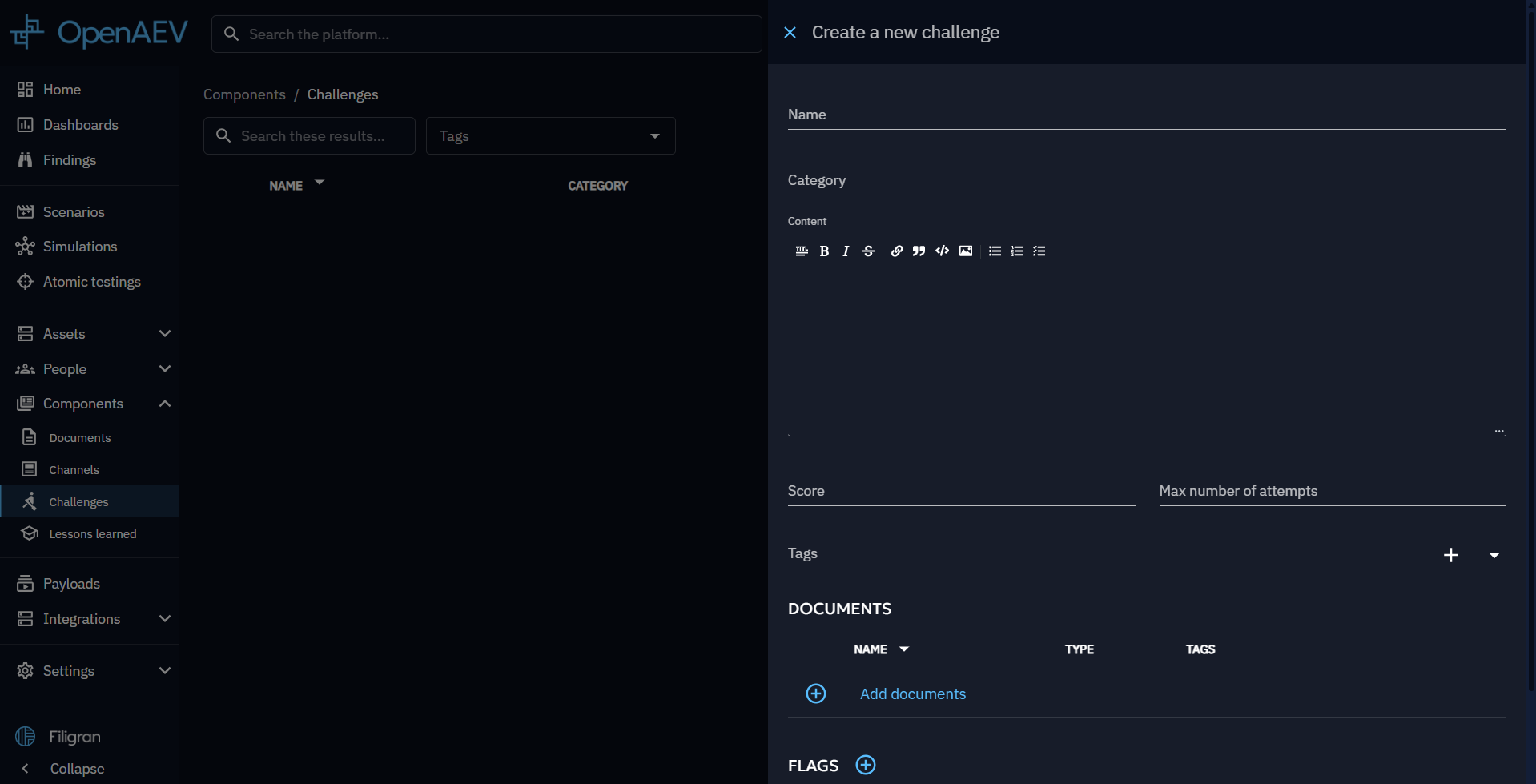
Once completed, your new challenge will appear in the challenge list.
Use a challenge
Challenges can be utilized in Scenarios and Simulations. When creating an Inject of type "Publish challenges," you need to select a Challenge to be sent to your Players.
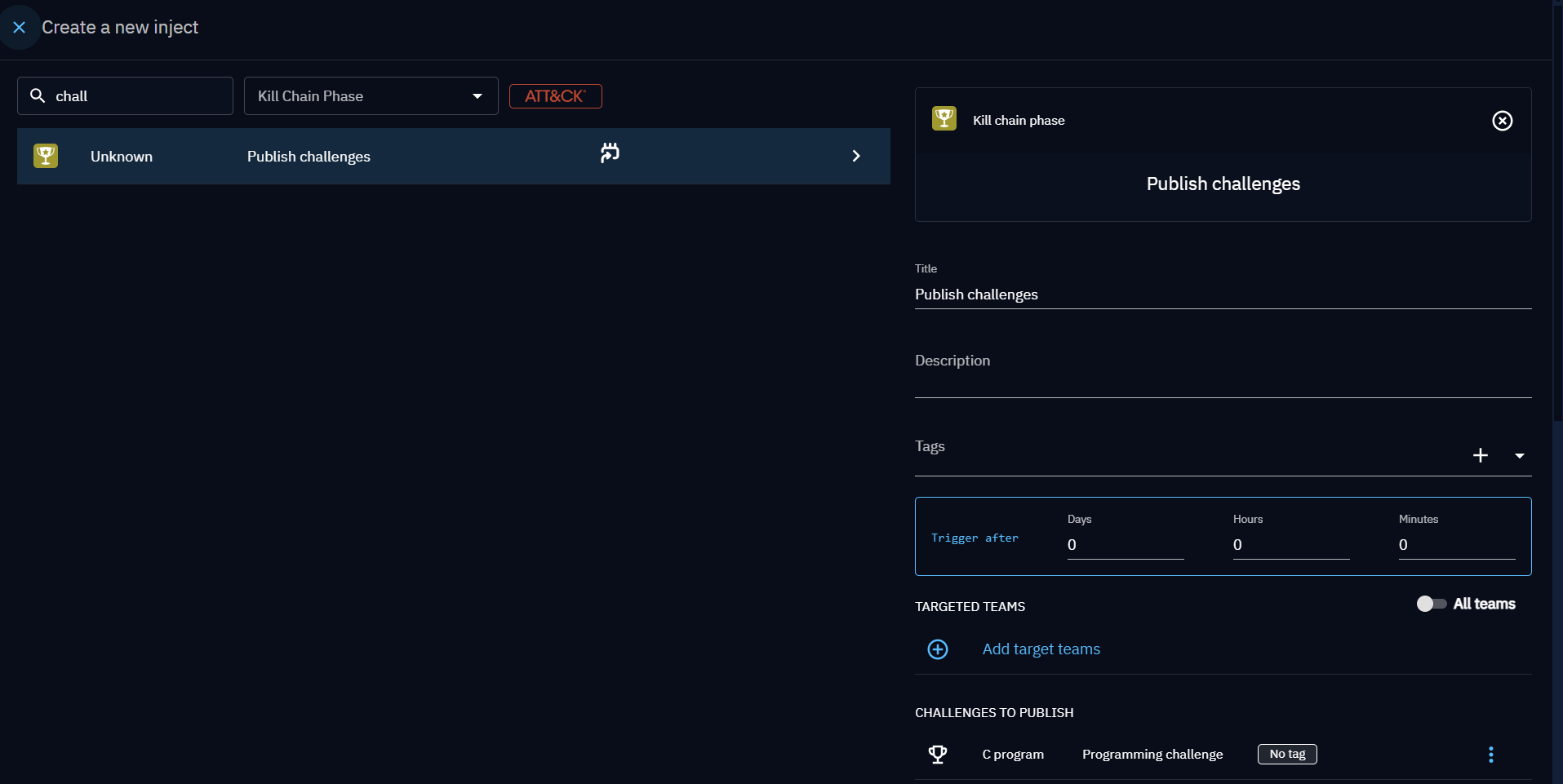
Once the scenario/simulation is triggered, an email is sent to the targeted players with a link.
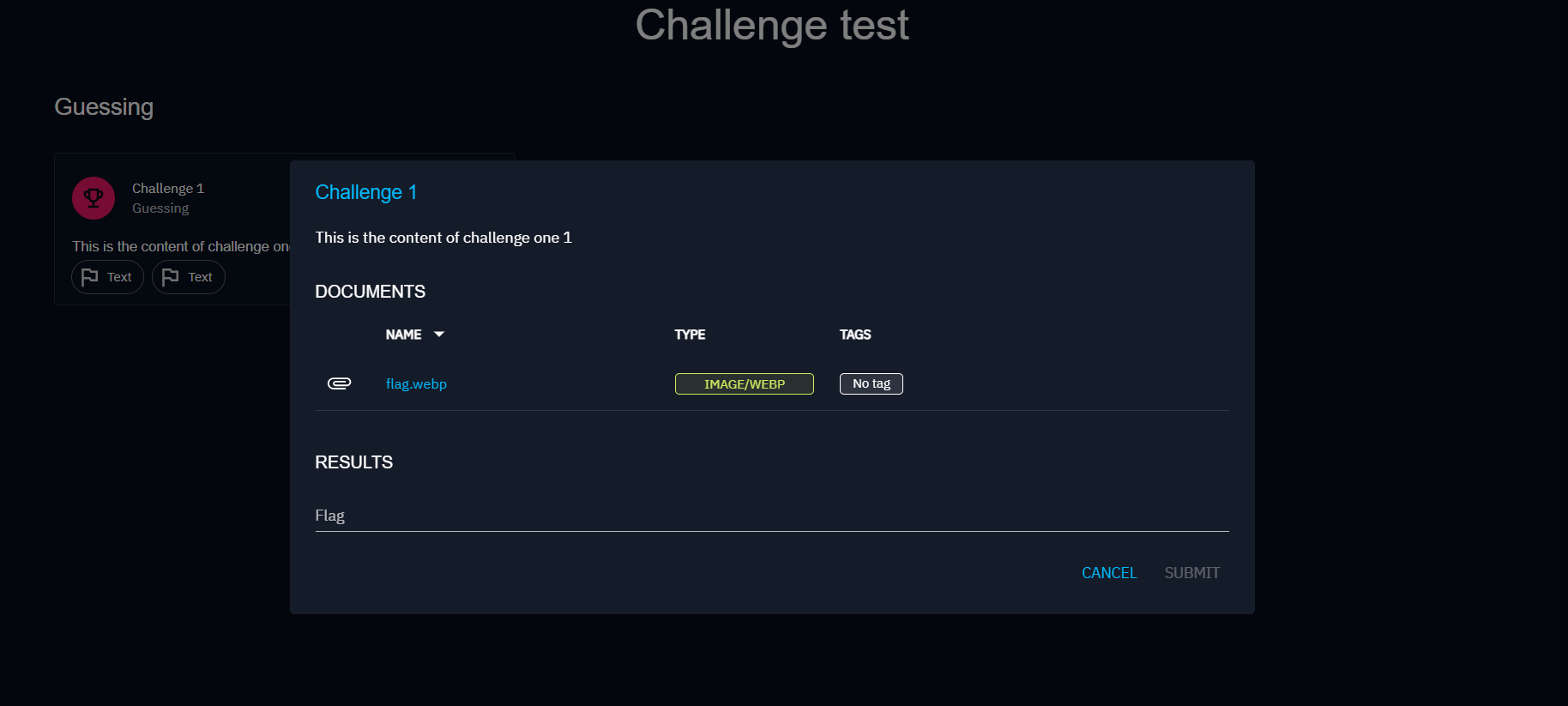
When clicking on the link the player is redirected to a page with a clickable card. Clicking on the card opens a modal with a textfield, where the player can enter the flag of the challenge.
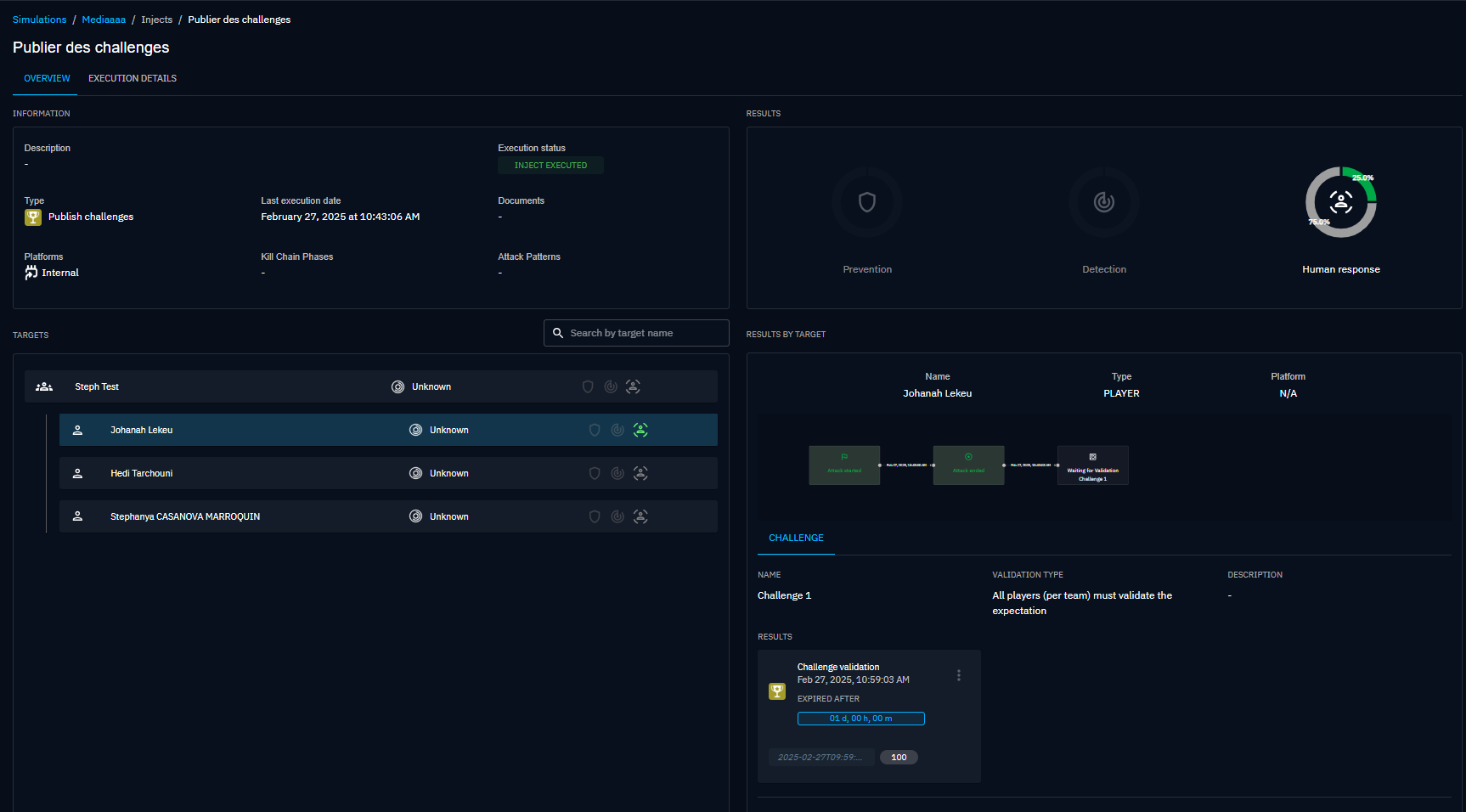
The initiator of the simulation can check the results. On this picture, a player of the team answered correctly while the others have not answered yet. Note that by default, players have a day to respond.
What's next?
- Scenarios -- Use Challenges in your Scenarios
- Built-in Injects -- Overview of all built-in Injectors including the Challenge Injector
- Media pressure -- Simulate media coverage during exercises